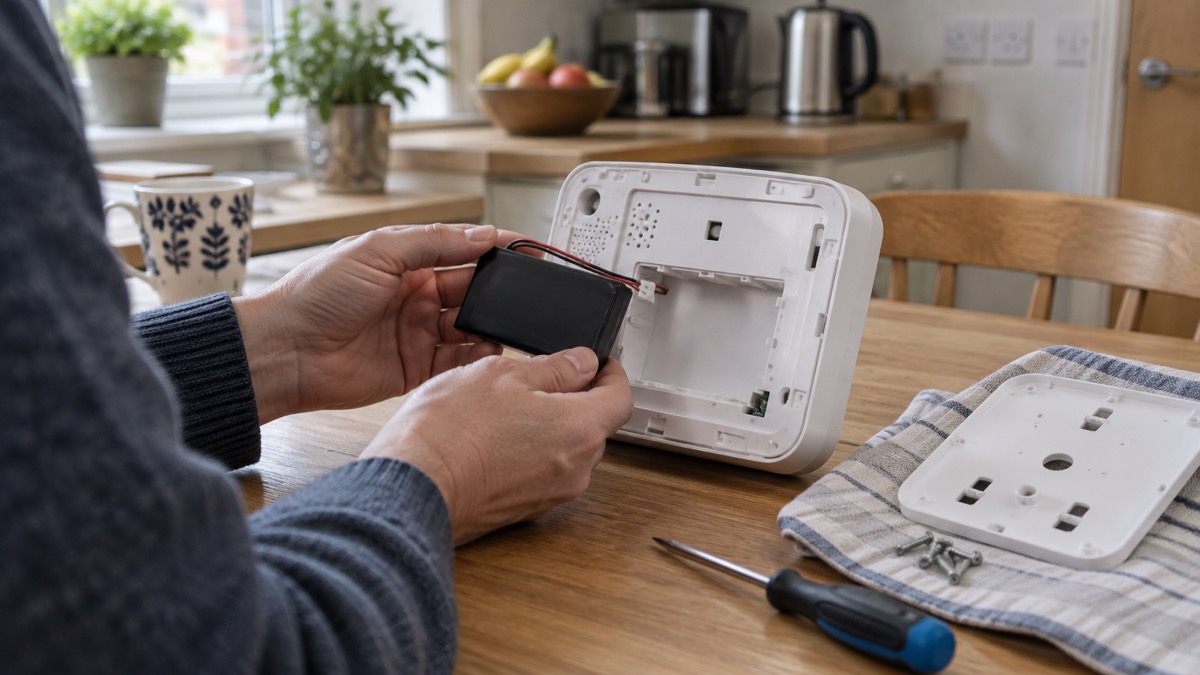
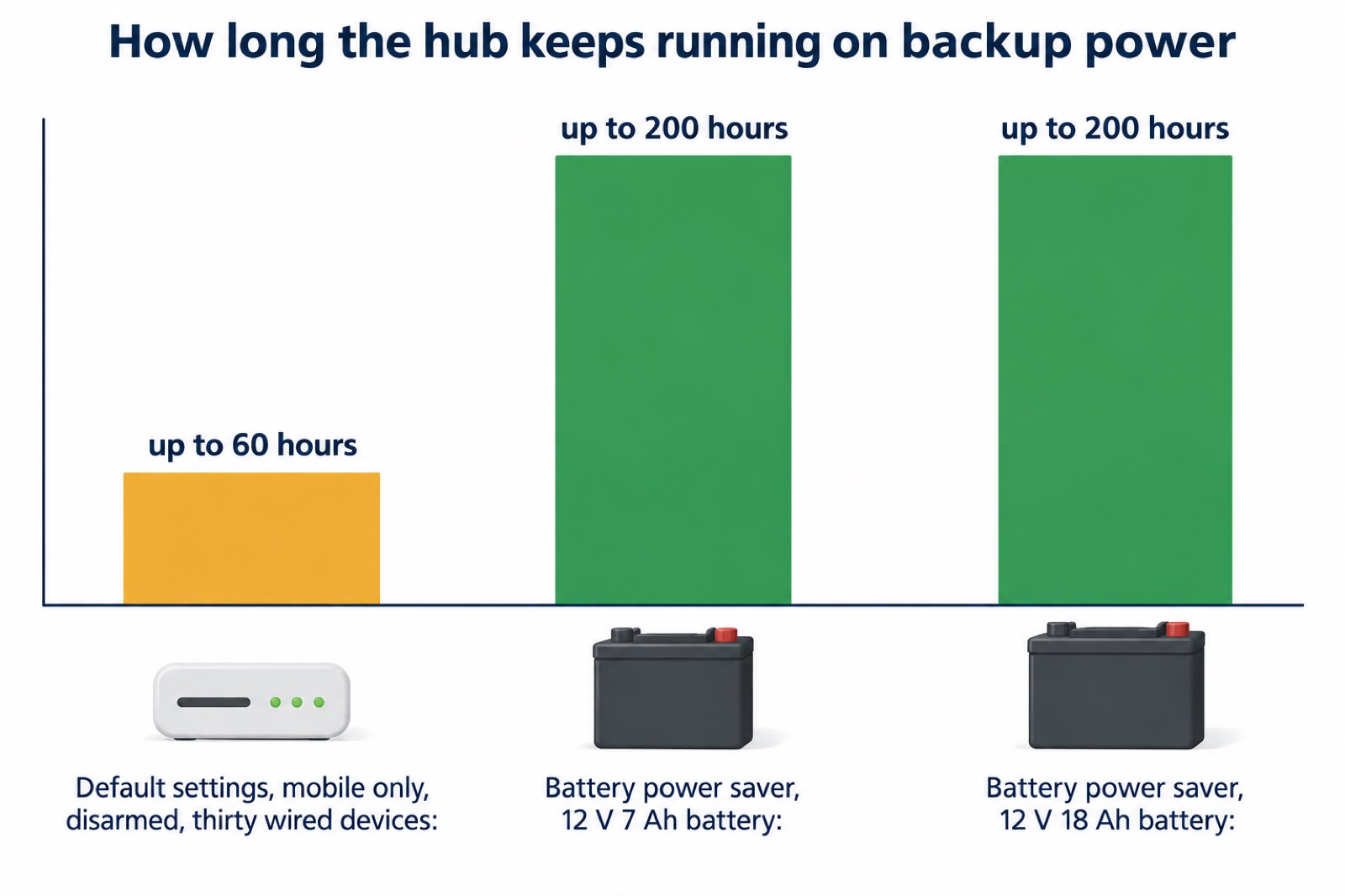
The Ajax Superior Hub Hybrid is a home alarm control panel that runs both wired and wireless Ajax devices, and the reason it matters on a preparedness site is its backup power. Unlike most Ajax hubs, it has no built-in battery: you fit a third-party 12 V battery inside the casing, and the maker states that with a 12 V 18 Ah battery and battery power saving switched on, the system can run for up to 200 hours1. On default settings, with a mobile connection only, the system disarmed and thirty wired devices attached, the maker's figure is up to 60 hours1.
That is the difference between an alarm that goes quiet when the lights go out and one that keeps watching the house through a storm, a flood or a winter power cut. The Superior Hub Hybrid 2 is the current version, with three communication channels (Ethernet and two SIM cards), support for up to 250 devices and up to 200 users, and a set of settings that decide how long it lasts and how quickly it tells you something is wrong2.
This page covers what the two versions do, how the backup power works, which battery to fit, how to keep the system ready and how to get support. It does not cover everyday features that make no difference in an emergency.
Superior Hub Hybrid and Superior Hub Hybrid 2: how the two versions differ
The Superior Hub Hybrid 2 is a hybrid control panel for an Ajax system, compatible with both wired and wireless Ajax devices, and it can only be added to and configured in the Ajax PRO apps2. It has 8 Fibra lines, the wired connections for Ajax's cabled devices, and the maker gives a default total of 250 devices with 200 wired devices per Fibra line2. It carries two tampers, on the front and rear of the board, which protect the hub from being opened or pulled off the wall2.
The earlier Superior Hub Hybrid is still described in Ajax's support material, and the differences that matter in an emergency are these:
| Feature | Superior Hub Hybrid | Superior Hub Hybrid 2 |
|---|---|---|
| Backup battery | No built-in battery; a third-party 12 V battery is installed in the casing1 | No battery included; takes a 12 V battery of 4 or 7 Ah2 |
| Power supply | Replace the pre-installed unit with a 12 to 24 V PSU (type A) to run from a 12 V source3 | Cannot be connected to third-party power supply units; runs on 100 to 240 V mains2 |
| Devices | Up to 100 at default settings4 | Up to 2502 |
| Access codes | Up to 50 personal, keypad access and RRU codes5 | Up to 200 access codes2 |
| External LED | Not listed | Included in the complete set2 |
The practical point is the power supply. On the older unit you can swap the power supply to run it from a 12 V source, which is how the backup battery is connected3. The maker's power supply unit is incompatible with the Superior Hub Hybrid (2G) and Superior Hub Hybrid (4G), so check the version before you plan the wiring2. If you are buying new, check which version you are being offered, because the battery, the wiring and the device count all differ.
What the Superior Hub Hybrid 2 does: a control panel for wired and wireless Ajax devices
The hub is the box that talks to every sensor, keypad and siren in the house and decides what to do when one of them triggers. The maker states that if a device is triggered, the system raises an alarm in less than a second, regardless of the communication protocol2. It then sends that alarm out through whichever communication channel is working, which is why the channel count matters more than almost any other specification on a preparedness page.
It is designed for indoor installation only, on a vertical surface2. The maker lists the places to avoid: outdoors, which could result in a failure of the control panel; near metal objects and mirrors, which can attenuate or shield the radio signal; and less than 3 feet from the router and power cables, or from Jeweller devices, which risks losing the connection2. The signal strength at the chosen spot should be 2 to 3 bars with all connected devices, because with 1 or 0 bars stable operation is not guaranteed2.
The hub also powers the wired Fibra devices connected to it, and power is on by default2. That matters in a cut: the maker states that a backup battery of the hub powers Fibra devices in case of a power outage, including wired devices whose optional external power supply is unavailable1. The older Superior Hub Hybrid can supply a maximum of 600 mA in total across all its Fibra lines4. If you are planning a system that keeps working through an outage, the wired devices are not a separate problem to solve: they draw on the same battery as the hub.
Backup power in a power cut: up to 60 hours on a 12 V battery
The headline figure depends on how the system is set up, and the maker gives more than one. On default settings, with a mobile connection only, the system disarmed and thirty wired devices connected, the Superior Hub Hybrid runs for up to 60 hours on its backup battery1. With the Battery power saver feature enabled and a 12 V 18 Ah battery fitted, the same family of hubs is quoted at up to 200 hours1. The Superior Hub Hybrid 2 manual gives the same 200 hour figure for battery power saver with a 12 V 7 Ah battery, and notes that the actual time depends on the system configuration and the number of devices2.
Battery power saver works by shortening the time the hub stays connected to the Ajax Cloud after an event. That period is 10 minutes by default and can be set from 5 minutes to 1 hour2. A shorter connection means less radio time and a longer battery life, at the cost of the app updating less often after each event.
For comparison, the maker states that the Superior Internal Battery is an internal rechargeable backup battery for the Ajax hub and range extender, offered in 16h and 60h versions4. The independent body NSI notes that an alarm system's backup battery typically ensures at least 12 hours in a power outage6. Against either benchmark, a correctly fitted 12 V battery in a Superior Hub Hybrid is a long outage solution rather than a short bridge.
Choosing and fitting the backup battery
The Superior Hub Hybrid 2 takes a 12 V battery with a capacity of 4, 7, or 9 A∙h2. The maker gives a maximum charging current of 300 mA and says a battery should have a full charging time of no more than 40 hours; batteries of a different capacity can be used if they suit the case size and meet that charging time2. The maximum dimensions of a battery that will fit the casing are 5.94 by 2.55 by 3.70 inches, and the maximum weight is 11 lb2. If a malfunction occurs after 40 hours of continuous charging, the battery stops charging automatically, and reconnecting it restores the charge2.
Some batteries can be mounted only vertically, with the terminals upward, and another position could cause fast battery degradation2. Check the battery's own instructions before you fit it.
The maker's own installation sequence for its internal battery, which is the pattern to follow for a battery in the casing, is:
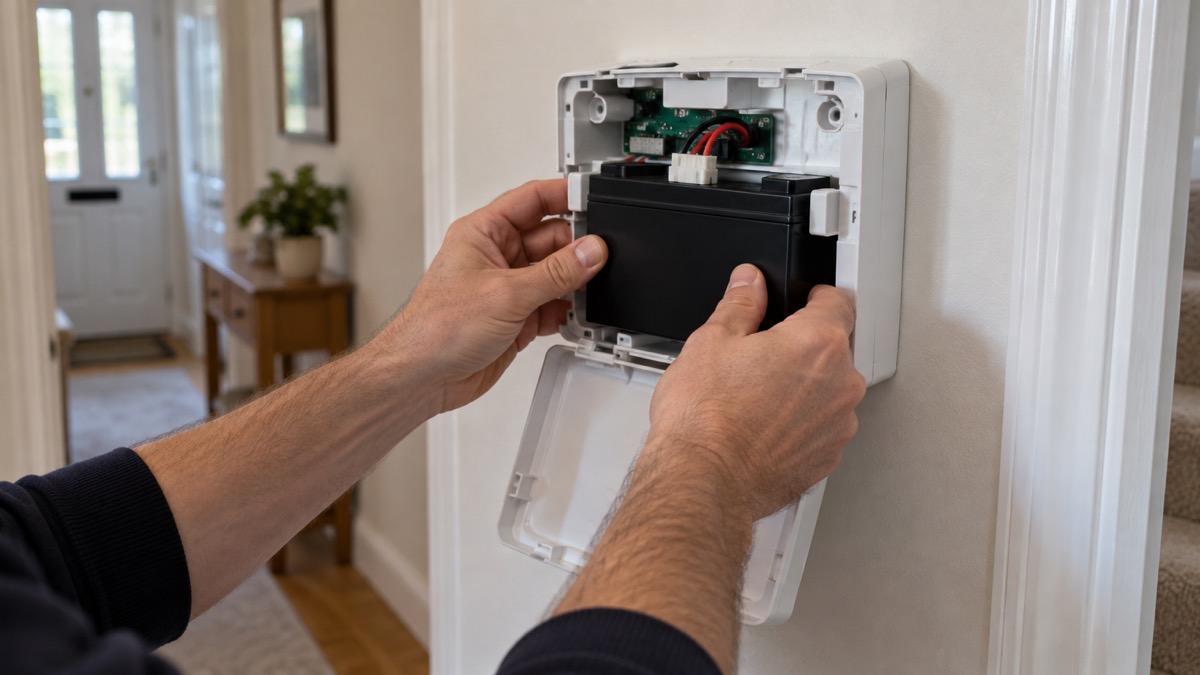
- Remove the mounting panel by unscrewing the holding screws and sliding the panel down7.
- Insert the battery into the backup battery slot so that the connectors align7.
- Slide the battery up until the latches secure it7.
- Reinstall the device on the mounting panel7.
- Check the battery charge state in the device states in the app7.
The maker states that only professionals must design and install the Ajax system, and that a list of recommended Ajax partners is available on the Ajax website7. If you are not confident working inside a mains-powered panel, use an installer. The maker also notes that when the hub switches to a backup power source, a notification is sent to the user and the security company3, so you will know the switch has happened.
Three communication channels: Ethernet and two SIM cards
The Superior Hub Hybrid 2 has three communication channels for connecting to the Ajax Cloud server: Ethernet and two SIM cards2. The cellular side is a 2G/3G/4G (LTE) modem, with an SMA female connector for an external antenna2. The idea is redundancy: if the broadband goes down in a storm, the hub can still reach the cloud over mobile data, and if one network is congested or out, the second SIM is a further route.
The SIM cards need to be micro SIMs with the PIN code request disabled and enough funds on the account2. The hub's IMEI, a unique 15-digit serial number that identifies the modem on the mobile network, is shown only when a SIM card is installed2. A pay-as-you-go SIM that quietly runs out of credit removes one of your backup routes without any obvious sign, so check the balance as part of your regular test.
The maker's own guidance on signal is specific: ensure the cellular signal at the installation site is stable and reaches 2 to 3 bars, and the acceptable noise level is minus 80 dBm or lower2. If the signal is weak where the hub sits, the maker's answer is the Ajax ExternalAntenna, and it states that correct device operation is not guaranteed if a third-party external antenna is used2. For a household on a weak mobile signal, that is worth planning before installation rather than after.
The hub also has settings that decide how quickly a lost channel is reported. The hub to server polling interval is set from 10 to 300 seconds, with a recommended default of 60 seconds, and the loss notification delay is set from 3 to 30 minutes2. If other channels are still available, the channel loss event is generated after the polling interval multiplied by three, plus the loss notification delay2. If a minimum ping period is set, the server may notify users and the security company in as little as 60 seconds after the connection is lost2. The offline events buffer holds between 100 and 1000 events, 100 by default, so events recorded while the hub cannot reach the server are kept and sent when it reconnects2.
What the LED colours mean
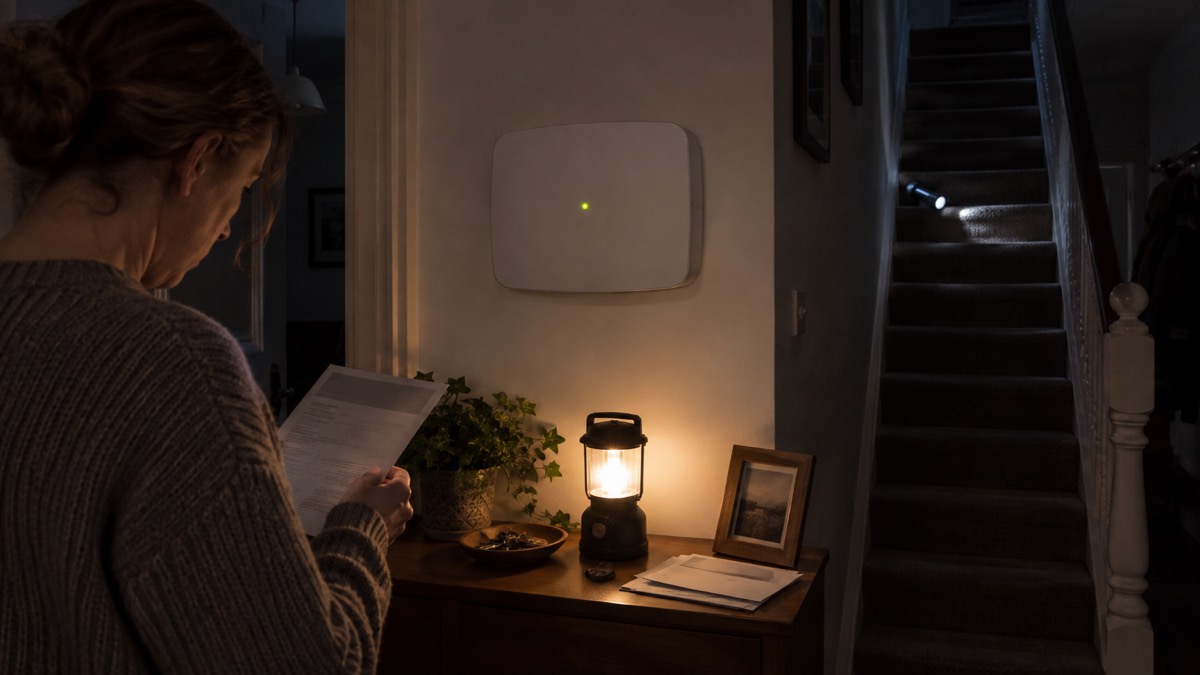
The hub's LED can light red, white, purple, yellow, blue or green depending on the state2. It has two indication modes: Hub to server connection, which is enabled by default, and British disco2. For a household, the colours are a quick way to see whether the system is healthy without opening the app.
| Colour | What it means |
|---|---|
| Red | The hub has no connection to the internet or the Ajax Cloud service2 |
| Green | One communication channel is connected: Ethernet or one or two SIM cards2 |
| White | At least two communication channels are connected: Ethernet and one or two SIM cards2 |
The LED also shows activity. A green LED flashing once per second means entry indication, the delay when entering2. A white LED lighting up for 2 seconds means arming is completed, and a white LED flashing once per second means two-stage arming or the delay when leaving2. If the external power is lost and a backup battery is connected, the LED lights up continuously for 3 minutes and then blinks every 10 seconds, with the colour depending on the number of connected communication channels2. That slow blink is the one to recognise in a power cut: it tells you the hub is running on its battery and still connected.
Firmware updates, walk tests and factory reset
Firmware auto-update is enabled by default, and the maker states that the system should be disarmed with the external power supply and backup battery connected for an automatic update2. An update takes up to 2 minutes in that state2. Hub updates appear among the system event types the notification system can report8, so you will see when one has happened. Keeping firmware current is part of keeping the system ready, and it is one of the maintenance jobs to check after any long outage.
A walk test lets you trigger each detector without raising an alarm or sending it to monitoring software, while still reporting malfunctions and tamper alarm events2. Run one after fitting the battery, after changing anything in the casing, and after any building work that might have moved a sensor. The hub also has a lines power test that simulates the maximum possible energy consumption, with detectors generating alarms, keypads activated and sirens turned on, which is a way to check the backup battery can carry the full load rather than just the idle system2.
A factory reset is the last resort. The maker's procedure is to turn the hub on if it is off, remove all users and installers, hold the power button until the LED indicator blinks red, and then remove the hub from your account2. Be clear about what this does: all settings, paired detectors and devices, and invited users are saved in the hub's memory, so a reset wipes the configuration you have built2. If you are moving house or handing the system to someone else, that is the point; if you are troubleshooting, contact support first.
Where to get help and how to keep it ready
Ajax support is by email at support@ajax.systems2. The maker recommends contacting Ajax Technical Support first if a device does not operate properly, because in most cases technical issues can be resolved remotely, and it says an AI-powered chatbot and technical support team are available 24/77. Have the hub model, the LED colour and a description of the fault ready, and check the manual for the indication before you write.
A short routine keeps the system ready for the emergencies it is there for:
- Check the battery charge state in the app monthly, and act on the low battery report at 20% and below2.
- Check the balance on both SIM cards, since a SIM without funds removes a channel2.
- Confirm the LED is green or white, not red, after any broadband or power event2.
- Run a walk test after any change to the system or the building2.
- Leave firmware auto-update on, and check for hub update events afterwards2.
For the wider picture, the Ajax brand page covers the rest of the range, and Burglar Alarms: Types and How to Choose One sets out how a panel like this fits a household's choices. If your concern is keeping any alarm working through an outage, Keeping Your Home Protected in a Power Cut and Will a Burglar Alarm Work After the Digital Switchover? cover the wider questions, and Alarms and Cameras on a Weak Mobile Signal or Slow Broadband is worth reading before you commit to a mobile-dependent panel.
Sources (8)
- How an Ajax system operates in case of a power outage, Ajax Systems, 2026-08-19
- Superior Hub Hybrid 2 user manual, Ajax Systems, 2026-10-06
- Hub 2 blackouts FAQ, Ajax Systems, 2024-07-03
- Superior KeyPad Fibra user manual, Ajax Systems, 2026-06-12
- Superior KeyPad TouchScreen Fibra user manual, Ajax Systems, 2026-06-15
- My alarm system has a back-up power battery: what is the life of the battery?, NSI, 2019-02-05
- Superior Internal Battery user manual, Ajax Systems, 2026-01-28
- How Ajax send alarms, Ajax Systems, 2026-07-09

 Abode Security Kit
 Ajax CombiProtect
 Ajax DoorProtect Plus
 Ajax GlassProtect
 Ajax HomeSiren
 Ajax Hub 2 Plus
 Ajax Hub 2G Jeweller
 Ajax Hub 4G Jeweller
 Ajax KeyPad Outdoor
 Ajax KeyPad Plus
 Ajax KeyPad TouchScreen
 Ajax LightSwitch