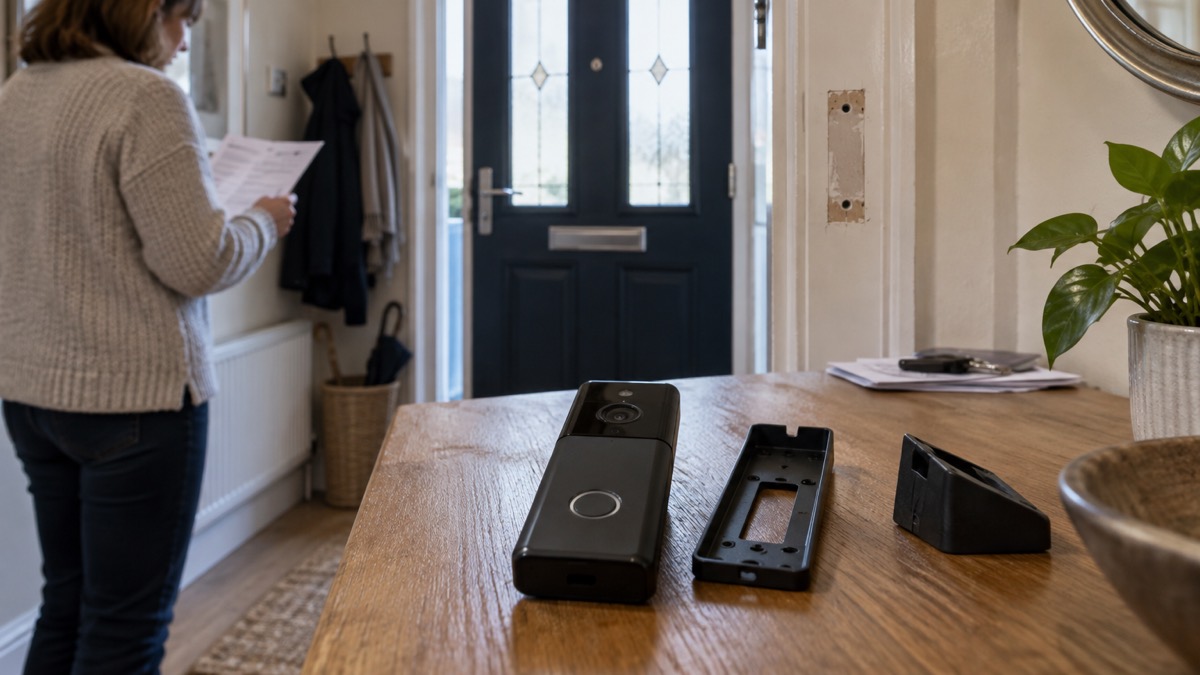
A battery video doorbell earns its place in a household plan for one reason above all: it keeps watching the door when the mains power does not. The Tapo D230S1 Smart Battery Video Doorbell, made by TP-Link, is a wire-free doorbell with a reported battery life of up to 8 months after a full charge of about 7 hours, free local storage rather than a compulsory cloud plan, and a head-to-toe view of whoever is at the door1.
For a household getting ready for a power cut, a storm or a flood, that combination matters. A wired doorbell needs existing wiring and a standard 18-volt AC supply to power the camera, so it stops being useful when the supply does3. A battery model carries on. The trade-offs are real too: you have to take it down to charge it, you need to know where your recordings are kept, and like any smart device it needs its software kept up to date.
This page sets out what the D230S1 does, what its specifications mean in an emergency, how to keep it charged and ready, how to use and store it safely, and where to go for support.
What the D230S1 covers at the door
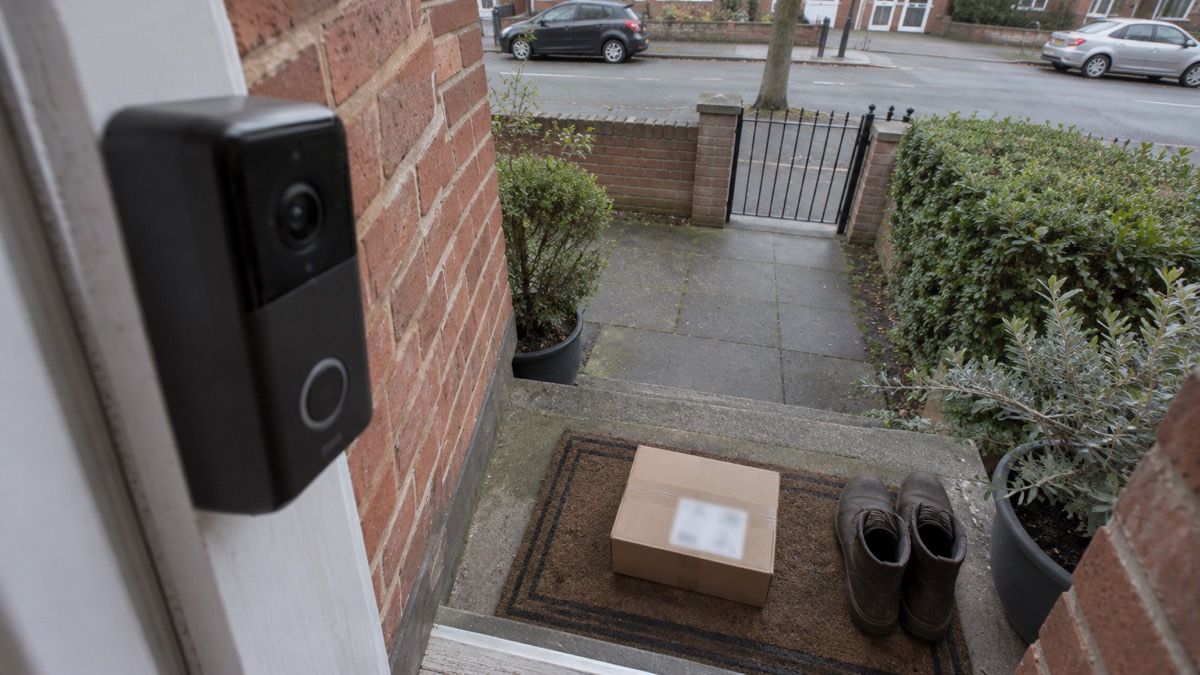
The D230S1 is listed with a head-to-toe view, the same framing idea other makers describe as capturing visitors and packages in one clear frame1. In practice that means the camera is set to see the ground in front of the door as well as a face, so a parcel left on the step is in shot rather than below the frame. For a household, that is the difference between knowing something was delivered and knowing who took it.
It is a smart doorbell, which puts it inside the government's security rules for smart devices. The National Cyber Security Centre lists smart doorbells alongside baby monitors and security cameras among the products covered by the law, which sets baseline requirements for how connected devices are secured5. That is not a detail for engineers. It means the doorbell is expected to receive security updates and to be set up with proper account security, and it is why the update period below is worth knowing before you buy.
Where the doorbell sits in a wider plan is worth thinking through. It is one layer among several: it records and lets you talk to a caller, but it does not physically stop anyone. Pair it with the measures on our video doorbells page and the wider home security guide, and treat it as a way of seeing and speaking to the door rather than a barrier.
Battery life: up to 8 months on a full charge
The headline figure is a customer review report quoted on the product page: the battery life lasts up to 8 months after a full charge of 7hrs2. Treat that as a best case. Battery life in any doorbell depends on how often it is triggered, how much live viewing you do and how cold it gets, and no figure is given for the D230S1 under heavy use or in winter.
For context, other makers describe similar expectations. Ring says its battery-powered doorbells and cameras last several months with normal use before recharging6. Independent guidance on smart locks notes that batteries last from six months to a couple of years before they need replacing or recharging7. The pattern across the category is months, not weeks, and the D230S1's reported 8 months sits at the generous end.
What this means for an emergency is straightforward. A doorbell charged in autumn will very likely still be working through a winter power cut, provided you have kept on top of it. The risk is not the battery failing during the emergency; it is the battery being flat when the emergency starts because nobody checked.
Keeping it charged and ready
There is no published low-battery alert for this model in the material available, so build your own routine. Note the date of each charge, check the level in the app at intervals, and recharge before the reported eight months is up rather than waiting for it to stop. A doorbell that dies quietly is worse than one you planned to charge.
The charging itself is where safety matters most. Charge the battery on a hard, flat surface that will not burn, keep it away from soft furnishings and anything flammable, and do not leave lithium batteries charging unattended for long periods. If a battery swells, stop using it and turn the device off.
"Turn off the device"
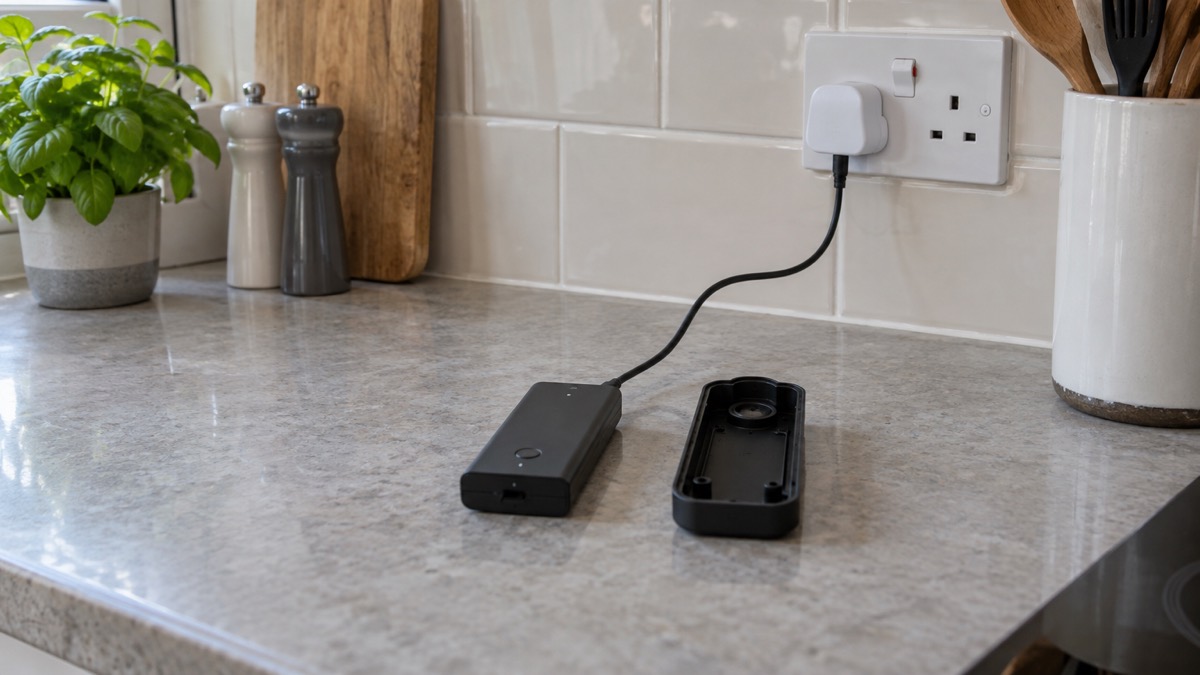
Removing the doorbell to charge it is normal for a battery model, but it leaves a gap. Tell the household it is off the door, check it is firmly refitted afterwards, and if you are going away, charge it before you go rather than leaving it to run down while the house is empty. Our page on leaving your home while you are on holiday covers the wider routine.
Free local storage or a cloud subscription
This is the question most households ask before buying, and the answer is good: independent guidance lists the D230S1 as having free local storage, with cloud storage available for a subscription3. Tapo's own doorbell pages say its video doorbells carry zero monthly fees2.
Local storage means footage is kept on a memory card in the device rather than uploaded to a cloud account. That has two consequences for a household. First, there is no ongoing cost and no account to lapse. Second, the card is the recording: if it is not fitted, is full or has failed, you have no history. Check it is in place and working before you rely on it.
Other makers show what the alternative looks like. Ring says that without a subscription you can view real-time video and answer doorbell notifications as they happen, but videos and photos will not be saved9. Arlo says that without a subscription you keep live streaming, doorbell calls, motion notifications and two-way audio, with local storage through a hub or base station, while cloud video history and person and package detection need a paid plan4. The D230S1's free local storage avoids that trade-off for basic recording.
| What you want | D230S1 position | What to check |
|---|---|---|
| Recordings kept without paying | Free local storage3 | Memory card fitted and working |
| Cloud backup | Available for a subscription3 | Whether you need it at all |
| Monthly fees | Zero, per Tapo2 | Any optional plan you choose |
| Live view and alerts | Included | App set up and tested |
The D230S1 and the D230S1 Smart Battery Video Doorbell: one product, two names
You will see the product written both ways: Tapo D230S1, and Tapo D230S1 Smart Battery Video Doorbell. They are the same device. The short form is the model name; the long form adds the description. Nothing in the specifications changes between them, so do not be thrown if a listing uses one and a review uses the other.
The naming matters for one practical reason: when you search for support, updates or accessories, use the model code D230S1. That is the string that will find the right manual and the right firmware.
Where it fits a household emergency plan
A battery doorbell is a small piece of a larger picture, and it is worth being clear about what it can and cannot do.
What it does well in an emergency. It keeps working when the mains does not, because it is not tied to the doorbell wiring. It lets you see and speak to a caller without opening the door, which matters during a flood or storm when strangers may call offering help or work. It records, so there is a record of who came to the door.
What it does not do. It does not stop anyone entering. It does not call the police for you. It depends on your home broadband and wi-fi for alerts and live view, so a power cut that takes your router down will limit remote features even though the doorbell itself still has charge. Our page on alarms and cameras on a weak signal or slow broadband covers that limitation.
Where it sits in the plan. Think of it alongside lighting, locks and an alarm rather than instead of them. Our comparison of a video doorbell or outdoor camera helps if you are deciding which to fit first, and battery or wired video doorbell sets out the trade-off if you have existing wiring.
Support, updates and warranty
The most useful support fact in the pack is the update period: independent guidance gives the D230S1 a software update period of three years from discontinuation3. That is the window in which the maker is expected to keep issuing security fixes. It is not a warranty, and it is not a guarantee of new features, but it tells you how long the device should stay safe to keep connected.
No warranty period is given for this model. Keep your proof of purchase, register the device if the maker asks you to, and check the Tapo support pages for the terms that apply. For the account side, our guide to camera and doorbell accounts explains how to set up the app so that strangers cannot get in, and how long cameras and doorbells get software updates puts the three-year figure in context.
Sources (9)
- Tapo smart doorbell camera range, Tapo, 2026-11-03
- Tapo smart video doorbells, Tapo, 2026-11-03
- How to buy the best smart video doorbell, Which?, 2026-10-16
- Arlo video doorbells, Arlo, 2026
- Security law for smart devices, National Cyber Security Centre, 2024
- Doorbell security camera FAQ, Ring, 2026-11-03
- Do I need a smart door lock?, Which?, 2026-04-15
- Batteries and chargers, London Fire Brigade, 2026-10-25
- Ring video doorbell cameras, Ring, 2026-11-03

 Ajax BulletCam
 Ajax DoorBell
 Ajax NVR
 Ajax TurretCam
 Aqara Camera Hub G350
 Arlo Essential 2K Doorbell
 Arlo Essential 3 2K
 Arlo Essential 3 Indoor
 Arlo Pro 6
 Arlo Ultra 2
 Arlo Ultra 3
 Blink Battery Doorbell 2K+