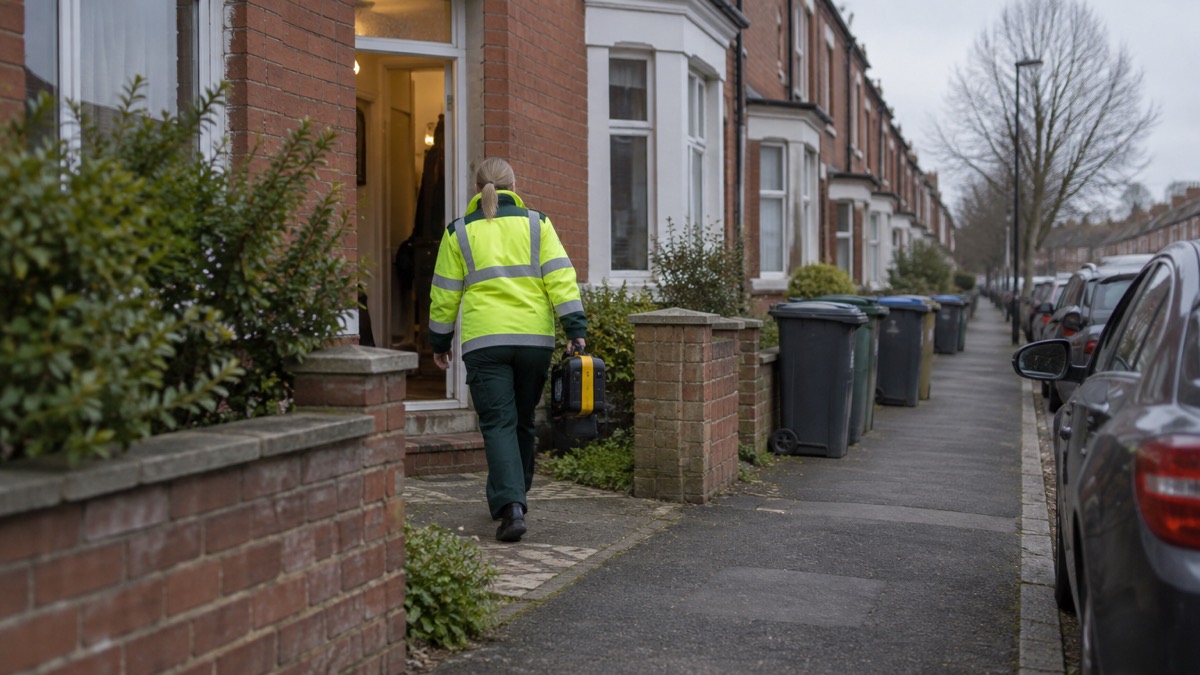
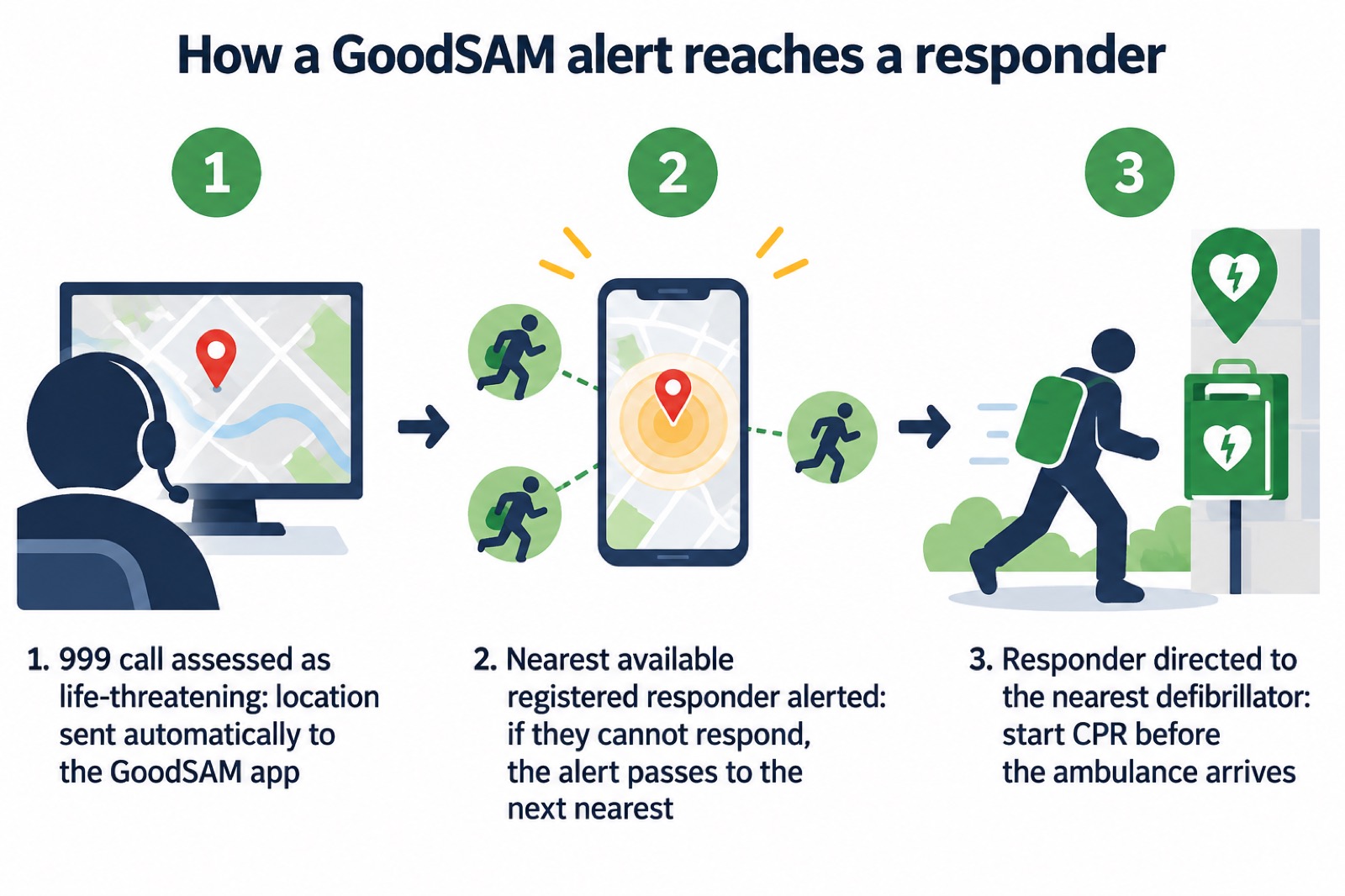
GoodSAM is a free app that alerts trained volunteers when someone nearby has a cardiac arrest, so that CPR and a defibrillator can be started in the minutes before an ambulance arrives. When a 999 call is assessed as life-threatening, the ambulance service automatically sends the location to the GoodSAM app and the nearest available registered responder is alerted; if they cannot respond, the alert passes to the next nearest responder1. Responders are also directed to the nearest defibrillator1.
The name is short for "Good Samaritan"2. There are two apps: GoodSAM Responder, for trained volunteers who want to be alerted, and GoodSAM Alerter, intended for areas where there is no ambulance service or that are very rural3. London Ambulance Service has partnered with the app, and other services use it too1.
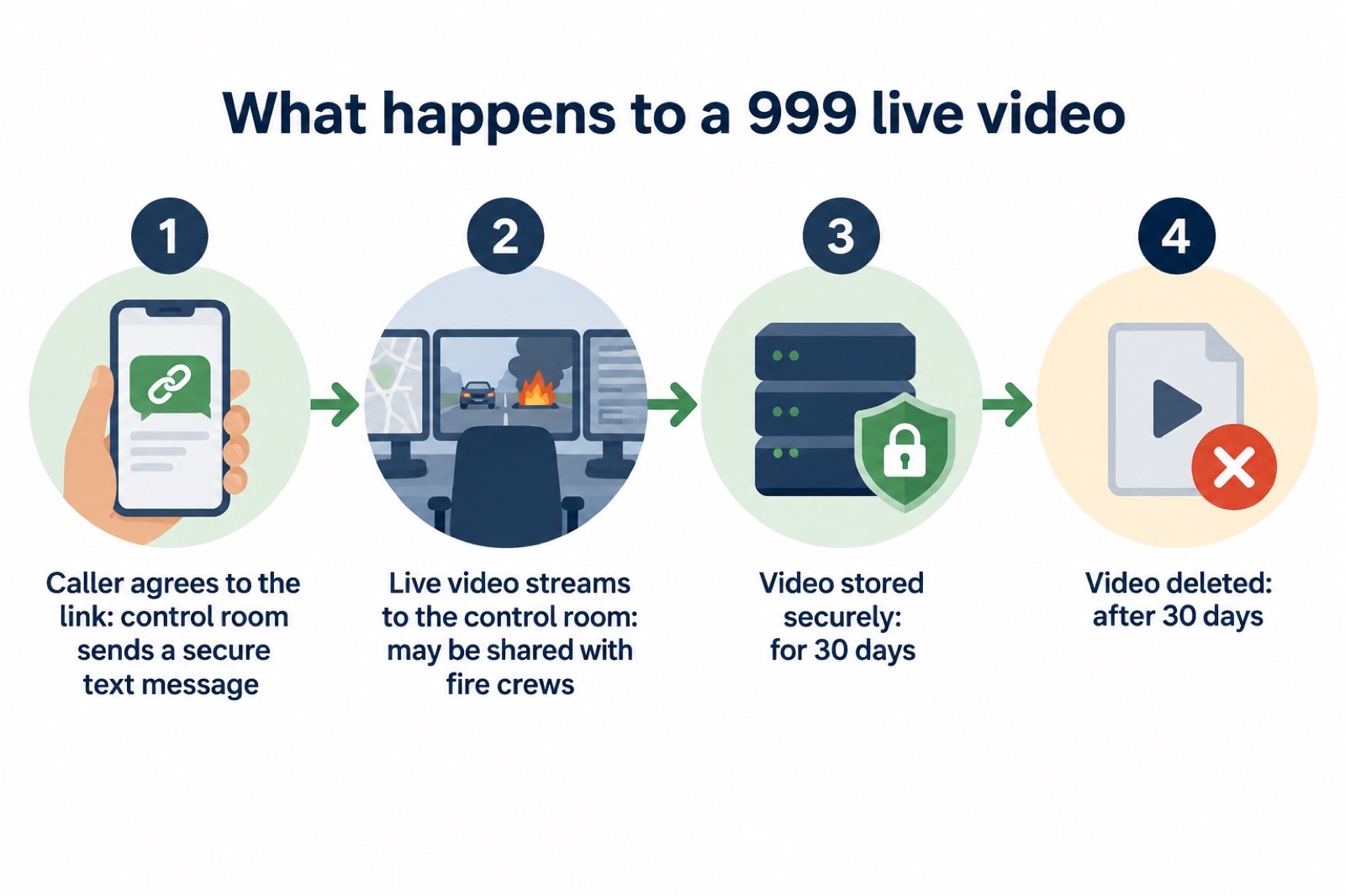
You do not have to be a responder to benefit. If you call 999, the control room may ask your permission to send you a text message with a secure link that opens a live video stream from your phone to the control room, so staff can see what is happening2. The video is stored securely for 30 days before it is deleted2. This page explains how the alerting works, how to register as a responder, what happens to your video, and how to keep your phone ready.
What GoodSAM does: two apps, one for responders and one for 999 callers
GoodSAM is best understood as two things sharing one platform. The first is a responder alerting system: a community of first aid trained responders willing to assist during a cardiac arrest3. Volunteers with basic life-support skills can respond to life-threatening emergencies, like a cardiac arrest, via the app on their smartphone1. The aim is to start CPR in the critical minutes before the emergency services arrive, and to use a defibrillator if one is available5.
The second is a tool for control rooms. GoodSAM lets a control room receive a live video stream of an incident from a 999 caller, share that footage with fire crews, and receive a live video stream back from fire crews2. It also offers a text translation service, covered below.
The two apps are aimed at different people:
| App | Who it is for | What it does |
|---|---|---|
| GoodSAM Responder | Trained volunteers who have registered | Alerts you when you are in the immediate vicinity of a cardiac arrest, so you can start CPR5 |
| GoodSAM Alerter | Areas with no ambulance service, or very rural areas | Calls 999 when the alerter presses the Alert button, and alerts the closest GoodSAM Responders to the scene3 |
The Alerter is a niche tool, not something most households need. The Responder app is the one volunteers search for. Both sit alongside, not instead of, the normal 999 system: GoodSAM volunteers provide assistance until the ambulance service arrives5.
How an alert reaches a responder
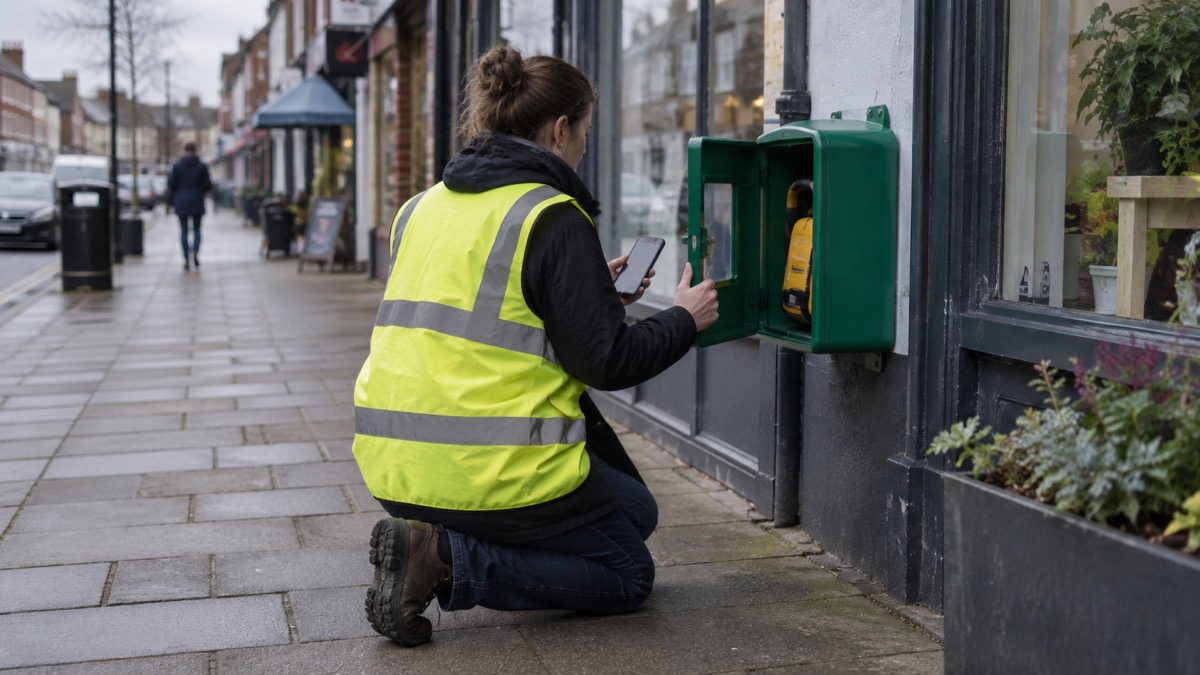
The matching is automatic and location based. When a 999 call is assessed as life-threatening, the ambulance service automatically sends the location to the GoodSAM app and the nearest available registered responder is alerted; if they cannot respond, the alert passes to the next nearest responder1. The system uses GPS to match life-threatening emergencies with the closest trained responders1. Responders are also directed to the nearest defibrillator1.
In Northern Ireland, the scheme works in partnership with the Northern Ireland Ambulance Service, which has been working with GoodSAM since July 2019 to improve the chances of survival for people who experience a cardiac arrest5. GoodSAM volunteers there can receive alerts on their mobile phone when someone nearby suffers a cardiac arrest, enabling them to provide potentially life-saving assistance before emergency services arrive6.
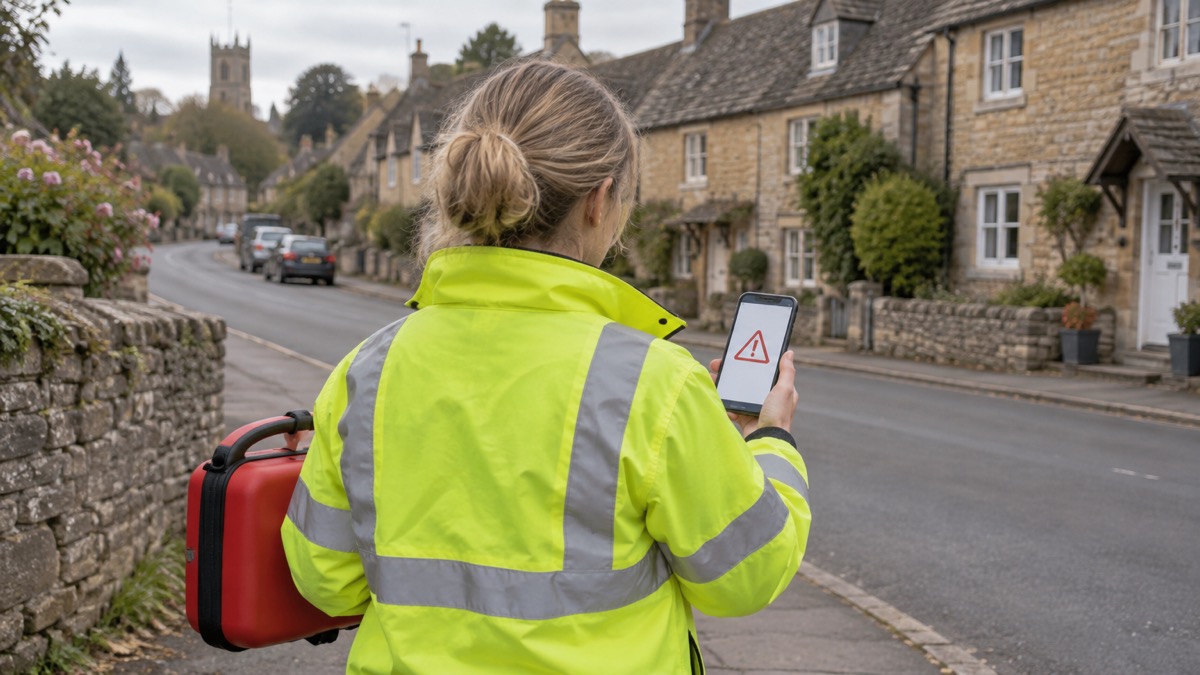
One rule matters more than any other: you will not receive alerts if you have not selected report on Duty3. Going on duty is how you tell the system you are available. If you are driving, in a meeting or otherwise unable to attend, come off duty rather than leave the app waiting. The alert will then pass to the next nearest responder, which is the outcome you want if you cannot help.
Becoming a GoodSAM Responder: training, ID and registration
Responders are not casual users. Public GoodSAM responders have a minimum of basic life support training and have signed up to join the Community of Lifesavers3. All responders have ID and certification verification of qualifications; when qualifications expire, responders must renew their certification or they are no longer alerted3.
The registration route depends on where you are and which service verifies you. In London, the advice is to learn CPR and defibrillator use at a training event, then register on the GoodSAM app and select London Ambulance Service as the verifying organisation1. In Northern Ireland, you register at www.goodsamapp.org after downloading the GoodSAM Responder App5.
The general registration steps are:
- Complete the online form4.
- Submit proof of ID, either a passport or a driving licence, and evidence of your qualifications4.
- Receive a verification email, have your details verified, and receive an email confirming the account4.
To register you need to hold a first aid or NPLQ qualification, or complete the Resuscitation Council UK's online Lifesaver training4. That last route matters for households with no first aid certificate: the Resuscitation Council UK has endorsed GoodSAM, and its Lifesaver training is a recognised way in3.
If you are weighing up different volunteer roles, our guide to community first responders explains how they compare with schemes like this, and volunteering in emergencies sets out the other roles you can train for.
Live video from a 999 call: how the secure link works
The live video feature is offered, not imposed. When you call 999 you may be asked to provide a live video stream; if you agree, the control officer sends a text message with a secure link that opens a live video stream from your phone to the control room2. The control room officer asks the caller for permission to send a text message containing a secure link that opens a live video stream from the caller's phone to the control room2.
The purpose is to help the control room see what is happening. GoodSAM lets a control room receive a live video stream of an incident from a 999 caller, share that footage with fire crews, and receive a live video stream from fire crews2. For a fire, that can mean crews see the situation before they arrive.
The same platform carries a translation service. GoodSAM can be used as a translation service for 104 different languages2. Control room officers send a text in English which is translated and delivered in the caller's chosen language; the caller replies in their chosen language and the message comes back to the control room officer in English2. This is text translation, not a spoken interpreter, so it suits a caller who can read and type in their own language.
For deaf callers, the route is different. The 999 BSL service is an emergency video relay service for deaf people7. The BSL 999 app connects you to a video signer who will help you to call the emergency services8, and you can use it for a video call to 999 in British Sign Language9.
Your data and video: stored securely for 30 days, then deleted
The video from a 999 call is kept for a set period and then removed. The fire service states: "We store the video securely for 30 days before deleting it"2. It also states that the link "won't cost you anything, and no other data is taken from your phone, or stored on it"2.
That is a narrow, specific promise: the video you send, and nothing else from your device. It is worth knowing before you agree to the link, and worth knowing that you can decline. The control room asks permission first2.
If you are worried about the security of your phone more generally, the National Cyber Security Centre's guidance on infected devices is about malware rather than GoodSAM, but the principle of keeping your device clean and backed up applies to any app you rely on in an emergency. Our cyber attacks guide covers that ground for households.
Battery and mobile data use while on duty
An alert is only useful if your phone is charged and connected. GoodSAM runs on a smartphone, so the ordinary advice about keeping a phone ready applies directly. Keep your mobile charged and ensure some data is available in case Wi-Fi is down10. Keep your mobile phone and other devices charged11. Charge mobile phone devices12. Plan your route to check for problem hotspots, allow plenty of time, and charge your mobile phone before travelling13.
If the power goes off, a battery power pack is a reliable source of power to draw on when the electricity goes off, letting you charge your phone and still use it at the same time14. Limit mobile phone and tablet use to emergencies, and if you have a vehicle you can use it to charge devices while power is restored15.
For a responder, the practical points are:
- Keep the app able to run. A phone that dies cannot receive an alert, so charge before a shift on duty and carry a power pack if you will be out.
- Keep data available. The alert arrives over mobile data, so a phone with no data allowance or no signal will not receive it.
- Think about coverage. Rural areas are exactly where the Alerter app is intended, and also where mobile coverage can be weakest3.
Our guides to backup power and staying informed and in touch go further on keeping a phone working through a power cut.
Who funds GoodSAM, and what it costs you
GoodSAM is a social enterprise. It charges a service fee to ambulance services who wish to integrate the platform with their 999 computer aided dispatch systems, and there is no cost to responders or alerters3. It has also benefited from funding from the Cabinet Office and Big Lottery Fund3.
For a household, the practical answer is that using the app costs nothing. The live video link won't cost you anything2. The funding model explains why: the ambulance service pays to connect the platform, not the volunteer or the caller.
In Northern Ireland, there is a further protection for responders. The Department of Health is prepared to underwrite the costs associated with any legal claim for damages made against the Northern Ireland Ambulance Service, including injury to the responder, and cover starts from the time a volunteer indicates on the app that they have accepted the call3. That is specific to Northern Ireland; responders elsewhere should ask their verifying ambulance service what arrangements apply. Our page on volunteer insurance looks at the question more broadly.
The water rescue registry, and other GoodSAM tools
GoodSAM also runs a water rescue registry. You do not need a GoodSAM account to add a piece of water rescue equipment to the water rescue registry, but you do need one to access the Water Rescue Devices map of life saving equipment4. That makes it a useful thing for a community group to know about: if your village has a throw line or a rescue board, it can be logged so that others can find it.
The registry is separate from the responder alerting side of the app, and separate from the 999 video link. It is a directory, not an alerting system. If your group is mapping local resources, our guide to community emergency hubs and the emergency hub kit checklist cover the wider question of what to record and where.
Where to get the app and how to start
The GoodSAM app is available from the Apple App Store and from Google Play4. Responders can register at www.goodsamapp.org after downloading the GoodSAM Responder App5. The website is at www.goodsamapp.org3.
Before you download, decide which side of the app you are on:
- If you want to be alerted: you need basic life support training, proof of ID and evidence of qualifications, and a verifying ambulance service3. Start with a CPR and defibrillator course, or the Resuscitation Council UK's online Lifesaver training4.
- If you simply want to be ready to help: learn CPR and how to use a defibrillator1. Know where your nearest public defibrillator is, and consider our guide to registering and looking after a village defibrillator on The Circuit.
- If you are calling 999: you do not need the app. If the control room offers a video link, you can accept or decline2.
For the wider picture of how volunteers fit into the emergency response, see how councils and emergency services work with local groups and volunteering in emergencies.
Sources (15)
- GoodSAM app, London Ambulance Service, 2026-08-13
- Live video streaming of fires, London Fire Brigade, 2026-10-25
- Public FAQ, Northern Ireland Ambulance Service, 2023-06
- Registering on the GoodSAM app, Royal Life Saving Society UK, 2026-10-29
- GoodSAM Responders, Northern Ireland Ambulance Service, 2026-10-29
- Cardiac arrest, East of England Ambulance Service, 2026-10-29
- Information for sign language users, North Yorkshire Fire and Rescue Service, 2026-03-11
- Digital easy read fire safety booklet, London Fire Brigade, 2026
- Calling 999, London Ambulance Service, 2026-09-30
- 12 tips to prepare for a power cut, Horsted Keynes Parish Council, 2026
- Be prepared at home and in your community, Argyll and Bute Council, 2026
- Stay safe in a thunderstorm, Met Office, 2026-10-25
- Driving in winter, Oxfordshire County Council, 2026
- How to prepare for the loss of electricity, Wiltshire and Swindon Prepared, 2026-10-25
- What to do during a power cut, Scottish and Southern Electricity Networks, 2026-10-25
 Emergency Hub Kit Checklist
 Severe Weather Tasks for Groups
 Flood Warden Checklist
 Testing an Emergency Plan
 Activating an Emergency Plan
 Emergency Volunteer Insurance
 How Long to Wait for Help
 RAYNET Emergency Radio
 Volunteer Shopping Delivery
 Local Group Constitution