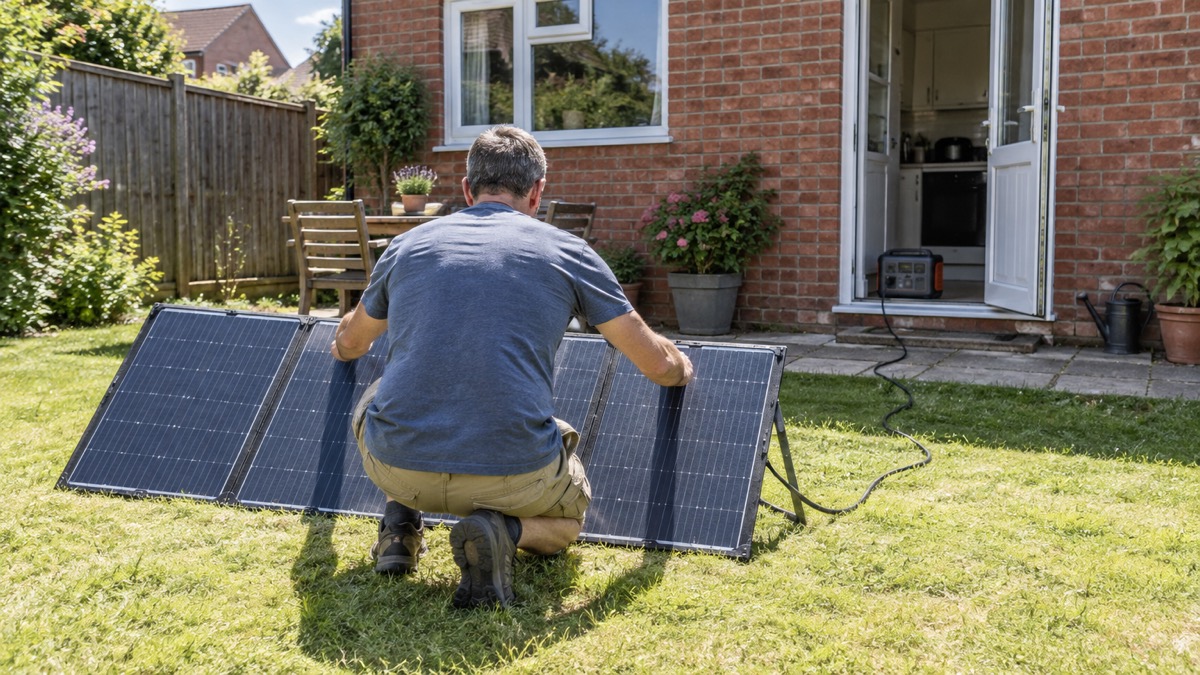
The Anker SOLIX PS200 is a folding solar panel rated at 200W, made to charge a portable power station without any mains supply. For a household preparing for power cuts, storms or flooding, that is its whole point: when the electricity goes off, it turns daylight into stored power you can use later for a phone, a torch or a radio. Anker gives its rated power as 200W, its operating voltage as 48V and its operating current as 4.17A1.
It is not a generator and it does not store anything. It only produces power while light falls on it, and only into a power station it is compatible with. Anker says the panel can charge portable power stations with a maximum voltage of up to 60V and an XT60 input port, and recommends pairing it with the Anker SOLIX F2000 (PowerHouse 767)1. If your power station does not meet those two conditions, the panel will not work with it.
The practical questions for an emergency kit are how much it weighs, how small it folds and whether it survives British weather. It weighs 9.23 kg, folds to 570 × 602 × 60 mm, and carries an IP67 rating, which Anker describes as waterproof and usable in wet weather, provided the rubber plug is in place over the output port1. This page sets out what the panel does, which power stations it suits, and how to keep it ready and use it safely.
What the PS200 is and what it does in an emergency
The PS200 is a portable, folding solar panel built from monocrystalline cells. Anker states that these cells and a sunlight-trapping surface give a conversion efficiency of up to 23%1. In plain terms, it is a sheet of solar cells you unfold and prop towards the sun, connected by cable to a power station that stores what it makes. The panel is the collecting half of a small off-grid system; the power station is the battery half. If you want the wider picture of how those two halves fit together, our guide to off-grid solar systems explains the principles.
For a household, the value is in the days after the event rather than the first hour. A power cut that lasts a few hours is usually covered by torches and a charged phone. A storm or flood that takes the supply out for longer is where a panel earns its place, because it lets you top up a power station day after day without mains power or fuel. Anker's own guidance for its portable power stations is to pair a power station with a solar generator for long-lasting and sustainable power2.
What it cannot do matters just as much. It produces nothing at night, little under heavy cloud, and nothing at all if it is shaded or lying flat when the sun is low1. It does not plug into your home's wiring, and nothing in the maker's instructions suggests it should. Think of it as a way to refill a battery slowly and repeatedly, not as a replacement for the mains.
Specifications: 200W at 48V and 4.17A
Anker publishes a full set of electrical and physical figures for the panel, and they are worth reading before you buy, because they decide whether it will work with the power station you already own.
| Specification | Figure |
|---|---|
| Rated power | 200W1 |
| Operating voltage | 48V1 |
| Operating current | 4.17A1 |
| Open circuit voltage | 57.6V1 |
| Conversion efficiency | up to 23%1 |
| Output port | one XT-601 |
| Weight | 9.23 kg1 |
| Unfolded dimensions | 602 × 2130 × 20 mm1 |
| Folded dimensions | 570 × 602 × 60 mm1 |
| Water and dust rating | IP671 |
The headline figure is 200W, but the two numbers that decide compatibility are the operating voltage of 48V and the open circuit voltage of 57.6V1. Anker describes the optimum operating voltage as 48V and the optimum operating current as 4.17A1. Those are the conditions under which the panel reaches its rated output. Open circuit voltage is what the panel produces with nothing connected, and it is the highest voltage it will present to whatever you plug in, which is why it is the figure to check against your power station's limit.
The 23% conversion efficiency is a measure of how much of the sunlight hitting the panel becomes electricity1. It tells you the panel is reasonably efficient for its type; it does not tell you what you will get on a given day. Weather, angle to the sun and shade all move the real output far more than the cell efficiency does. If you are working out how much panel you need for a given daily demand, our guide to sizing an off-grid solar system takes you through the arithmetic.
Which power stations it works with
The compatibility rule is short and worth memorising. Anker states that the panel can charge portable power stations with a maximum voltage of up to 60V and an XT60 input port1. Both conditions must be met. A power station with the right connector but a lower voltage ceiling is not suitable, and neither is one with a high enough ceiling but no XT60 input.
Anker recommends pairing the panel with the Anker SOLIX F2000 (PowerHouse 767)1. That is the maker's own suggested match, not a statement that other power stations will not work. If you already own an Anker power station, check its solar input rating against the 57.6V open circuit voltage before connecting anything.
Anker's own set-up guidance for its solar panels and power stations describes connecting the two with a connector and a solar charging cable3. Treat the general rule, up to 60V with an XT60 input, as the one to check against your own equipment, and confirm the specific pairing with the maker if you are unsure.
Size, weight and storing it ready
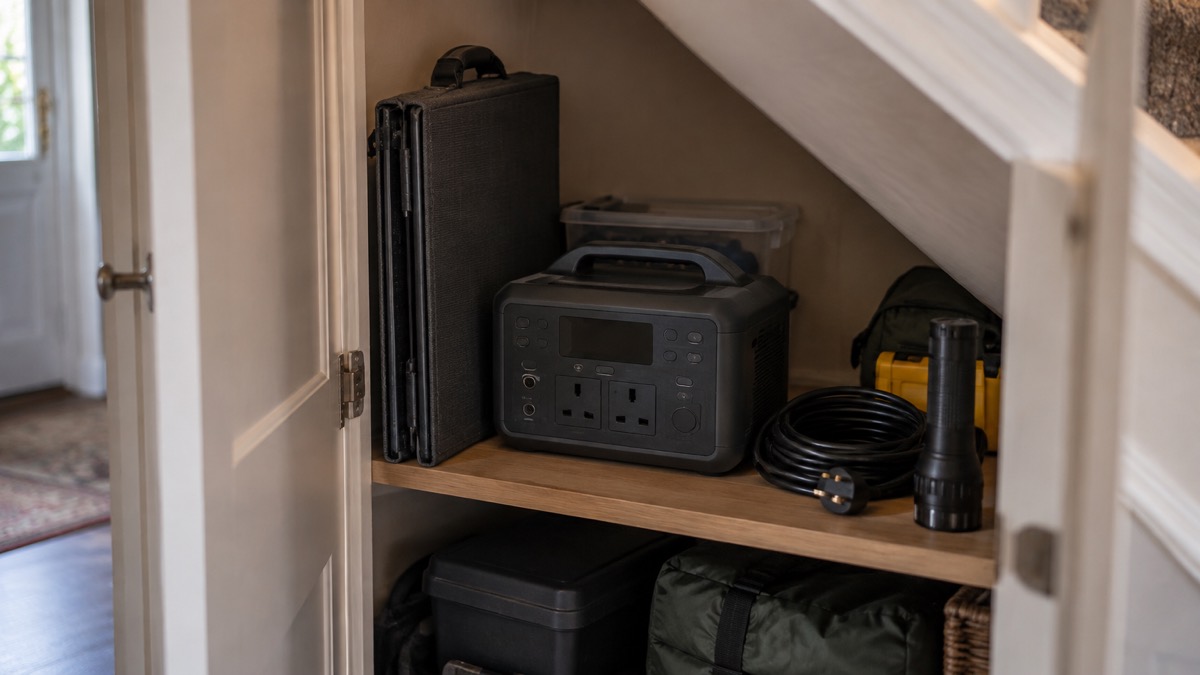
At 9.23 kg the panel is carryable by one adult but heavy enough that you will notice it on a walk1. Folded, it measures 570 × 602 × 60 mm, roughly the footprint of a large briefcase and about as thick1. That is a shape that slides behind a sofa, stands in a cupboard or lies flat under a bed, which matters if you are keeping it for an emergency rather than using it every day.
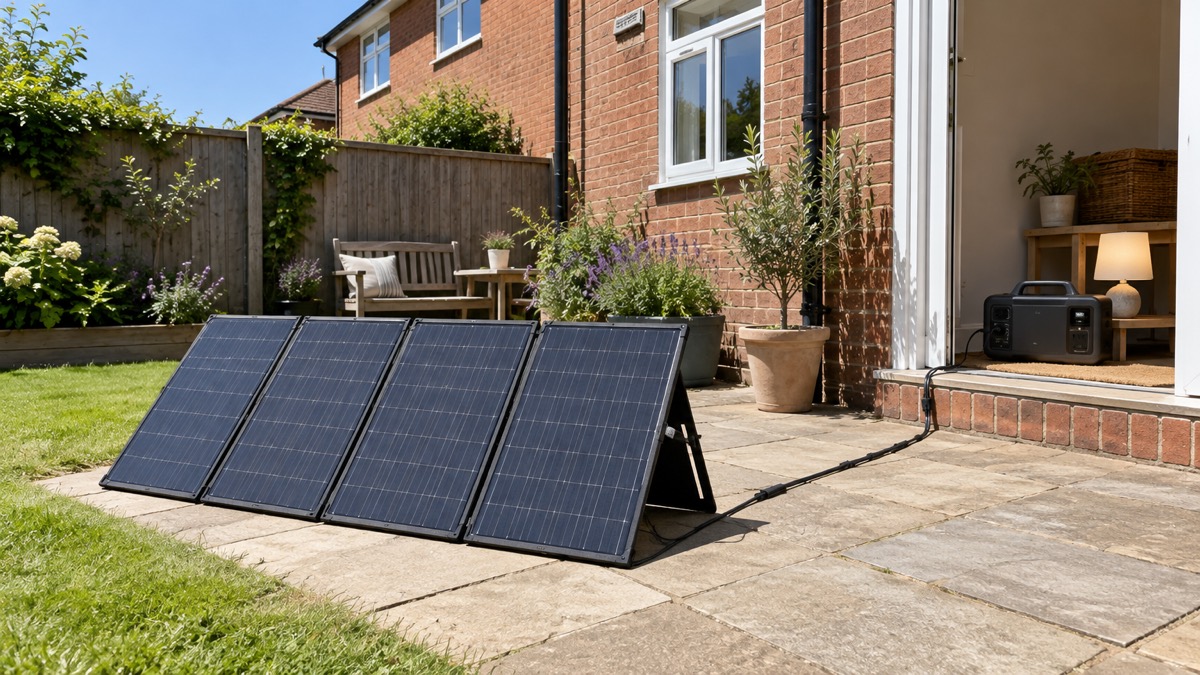
Unfolded, it measures 602 × 2130 × 20 mm1. That is a long panel, over two metres across its longest side, so you need a clear run of garden, lawn or balcony to lay it out, and somewhere it will not be walked on or blown over. Think about where that will be before the day you need it, because in a storm you may be setting it up in poor conditions.
For keeping it ready, a few habits help:
- Store it folded, dry and indoors, with the cables and the power station in the same place, so the whole set comes out together.
- Check the cable set is complete: two 9.8 ft (3 m) MC4 solar charging cables and one 1.6 ft (0.5 m) MC4 to XT-60 solar charging cable, plus the safety manual1.
- Unfold and inspect it occasionally, and confirm the rubber plug is present and seated over the XT-60 port.
- Practise the set-up once in good weather, so the first time you connect it is not in the middle of a power cut.
Rain, water and the rubber plug
Anker states that the panel has an IP67 certification, is waterproof and can be used in wet weather1. That is a genuine advantage in the UK, where a sunny day can turn showery without much warning, and it means a passing shower is not automatically the end of your charging session.
The condition attached to that rating is specific. The maker warns: "Do not expose the XT-60 output port to rain or water without the rubber plug."1 The panel surface is protected; the connector is the weak point. So the routine is to keep the plug in place whenever the panel is not connected to the power station, and to think about where the connector sits when it is connected. A connector lying in wet grass or in a puddle is not what the maker describes as safe use.
Note that the IP67 rating belongs to this panel. Anker lists a separate bifacial portable panel with an IP68 waterproof rating4, which is a different product with a different figure; do not assume the two are the same. If you are weighing up panel types more generally, our comparison of rigid and flexible solar panels sets out where each suits a household.
Setting it up and charging a power station
The set-up is simple, and doing it in the right order avoids most of the things that go wrong.
- Unfold the panel on firm, level ground in full sun, angled towards the sun and clear of shade from buildings, trees or fences.
- Check the rubber plug is removed only for the moment you connect, and that both connector ends are clean and dry.
- Run the MC4 cables from the panel to the power station, using the 1.6 ft (0.5 m) MC4 to XT-60 cable for the final connection into the station's XT60 input1.
- Keep the power station itself dry and under cover, and route cables so nobody trips over them.
- Check the power station is charging, then leave the panel undisturbed; moving it to follow the sun through the day will collect more.
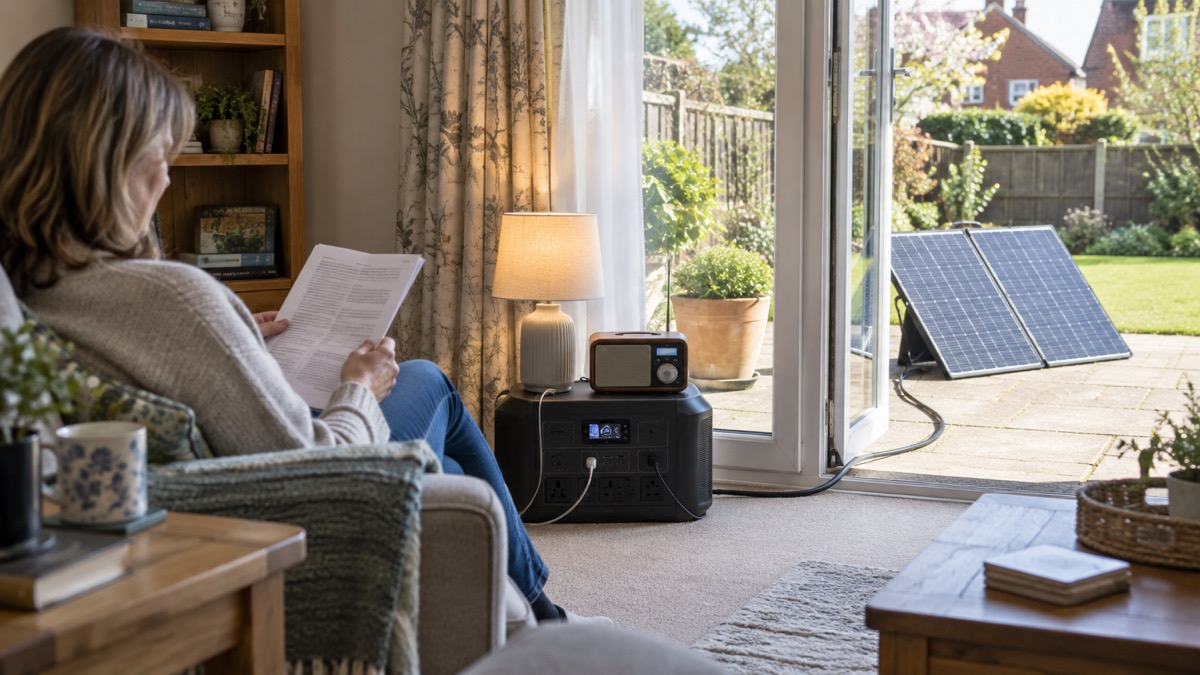
The cable set gives you real reach. Two 9.8 ft (3 m) MC4 cables plus the 1.6 ft (0.5 m) adapter mean the panel can sit out in the garden while the power station stays indoors or in a shed1. That separation is useful in wet weather, because the part that must stay dry is the power station, not the panel.
Anker's guidance for its solar generators describes connecting panels to a power station with a connector and a solar charging cable3. Beyond that, follow the instructions that came with your own power station for its solar input. If you are new to this kind of kit, our backup power guide covers how a power station fits into a household plan, and the off-grid solar kit checklist lists what to have alongside it.
Where it fits a household emergency plan
The PS200 is one component, not a plan. It suits a household that already has, or intends to buy, a compatible power station and wants a way to recharge it without mains power over several days. It suits a flat with a balcony or a house with a garden; it suits less well a home with no outdoor space that gets direct sun.
Set against other ways of keeping power going, its strengths are that it needs no fuel, makes no noise and can be used indoors-adjacent, with the panel outside and the power station in. Its limits are that it produces nothing at night and is weather-dependent1. A household that needs guaranteed power at a fixed time should not rely on it alone.
To get the most from it in an emergency:
- Pair it with a power station within the 60V, XT60 rule, ideally the F2000 the maker recommends1.
- Decide now where the panel will go and where the power station will sit, and check the cable run reaches.
- Store the panel, cables, power station and a torch together as one grab-able set.
- Rehearse the set-up once, and note how much charge a sunny hour actually adds to your station.
For the broader picture of what to keep ready for a power cut, see our guide to power cuts and the emergency kit section.
Support, warranty and where to get help
Anker supplies a safety manual in the box with the panel, alongside the cables1. Read it before first use, and keep it with the panel so anyone else in the household can find it. For warranty terms, support and any repair or replacement question, go to Anker directly through its UK site; the terms that apply to your purchase are the ones the maker and retailer give you at the time of sale.
If a panel or its connectors are damaged, stop using it and seek the maker's advice rather than attempting a repair yourself. Our page on what to do if a solar panel smells of burning covers the signs of a problem and the safe response, and what to do in a fire with solar panels installed explains what to tell the fire and rescue service.
Sources (4)
- Anker SOLIX PS200 Portable Solar Panel 200W (outdoor), Anker SOLIX, 2026-10-25
- Choose Portable Power Station, Anker SOLIX, 2026-10-25
- Solar Generators, Anker SOLIX, 2025
- Anker SOLIX C1000 Gen 2, Anker SOLIX, 2026-10-25

 EcoFlow STREAM Home Battery
 Morningstar SunSaver Duo
 Sterling Power ETFE Solar Panel
 Victron SmartSolar MPPT RS