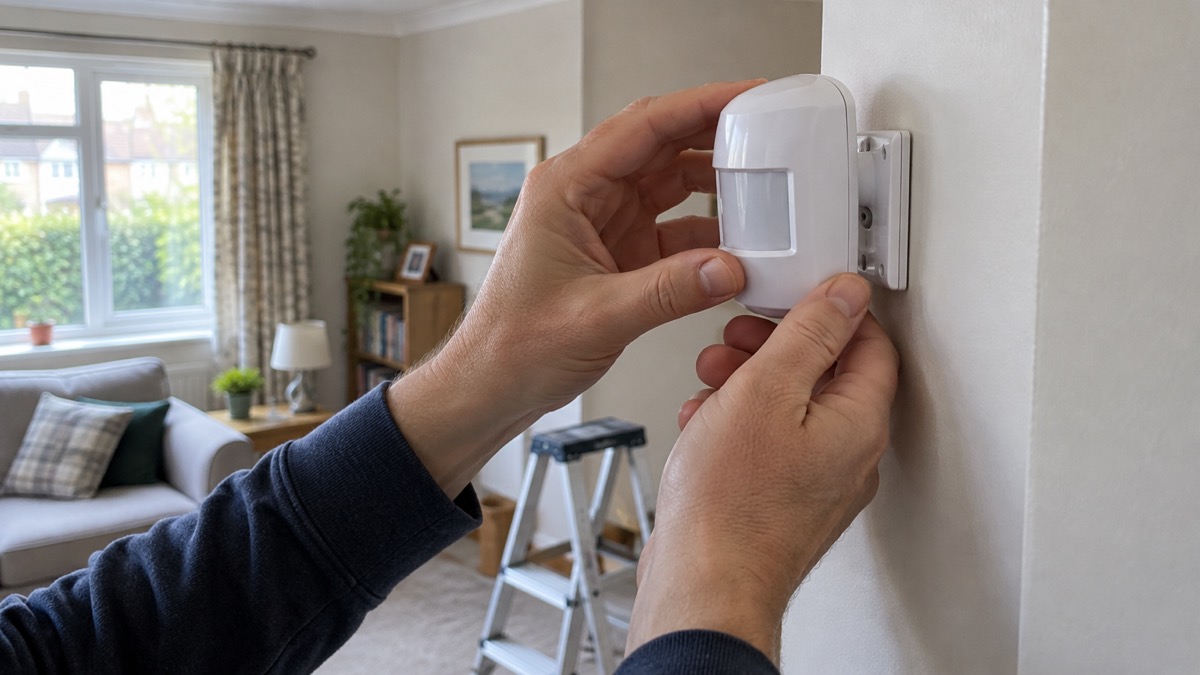
The Ajax MotionProtect is a battery-powered indoor movement detector for an Ajax burglar alarm. It watches a room for the heat signature of a moving person and tells the hub when it sees one, so the alarm can sound. The standard version covers a zone 12 m wide with an 88.5° view, and Ajax gives a calculated battery life of up to 5 years from one CR123A cell, with the hub checking in every 3 minutes1.
If you are choosing between the two versions, the difference is the extra sensor. MotionProtect Plus adds a microwave sensor alongside the usual passive infrared (PIR) element, which makes it harder to fool, and Ajax states it does not react to animals up to 50 cm tall1. Both are for indoor use only, both ignore movement behind glass, and both are set up and tested from the Ajax app.
This page covers what each version does, where to mount it so it actually sees the room, how to change the battery safely and how to keep it working. For the wider question of what kind of alarm suits a household, start with Burglar Alarms: Types and How to Choose One.
What the MotionProtect does, and which version to fit
A PIR detector works by sensing changes in heat, or infrared energy, within a room, and triggers the alarm if the system is armed4. Every person, pet and warm object gives off that heat, so a moving person crossing the detector's view produces the change it is looking for. The MotionProtect is Ajax's indoor version of that idea: a wireless unit that talks to an Ajax hub over the Jeweller radio protocol and runs on its own battery, so there is no wiring to run to the corner of a room3.
The two versions differ in how they confirm a detection:
| MotionProtect | MotionProtect Plus | |
|---|---|---|
| Sensor | PIR only3 | PIR plus an additional microwave sensor1 |
| Pet immunity | Does not react to animals up to 50 cm tall and 20 kg when correctly installed and configured3 | Does not react to animals up to 50 cm tall1 |
| Use | Indoors only3 | Indoors only1 |
| Detection figure | 12 m zone width, 88.5° horizontal view3 | Monitors the area within a 39 ft radius1 |
| Alarm LED option | Available on firmware 5.55.0.0 and higher3 | Available on firmware 5.55.0.0 and higher1 |
The Plus is the one to consider where a single PIR might be triggered by something other than an intruder, because the second sensor has to agree before an alarm is raised. The standard version is the simpler choice for an ordinary room. Both use temperature compensation, which Ajax says is used in all its motion detectors so that the device recognises motion across its whole operating temperature range1.
Neither version contains a camera. A PIR detector senses heat rather than taking pictures4. If you want images with the alarm, that is a different product: see Ajax MotionCam.
Detection range: a 12 m zone with an 88.5° view
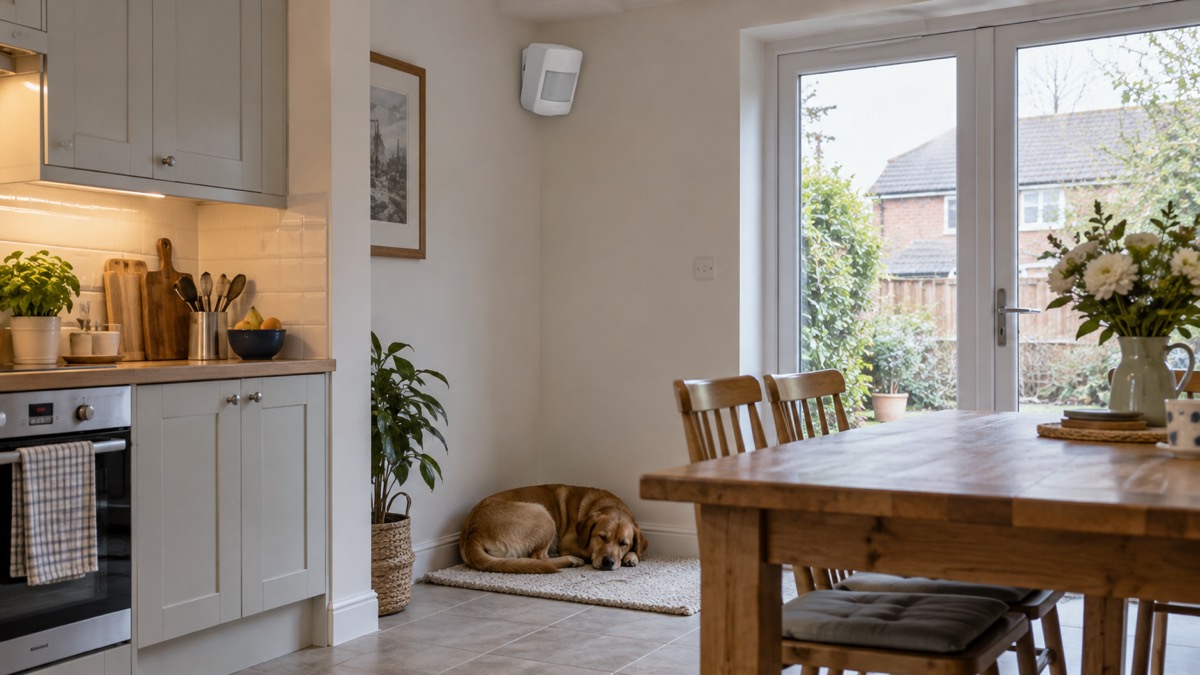
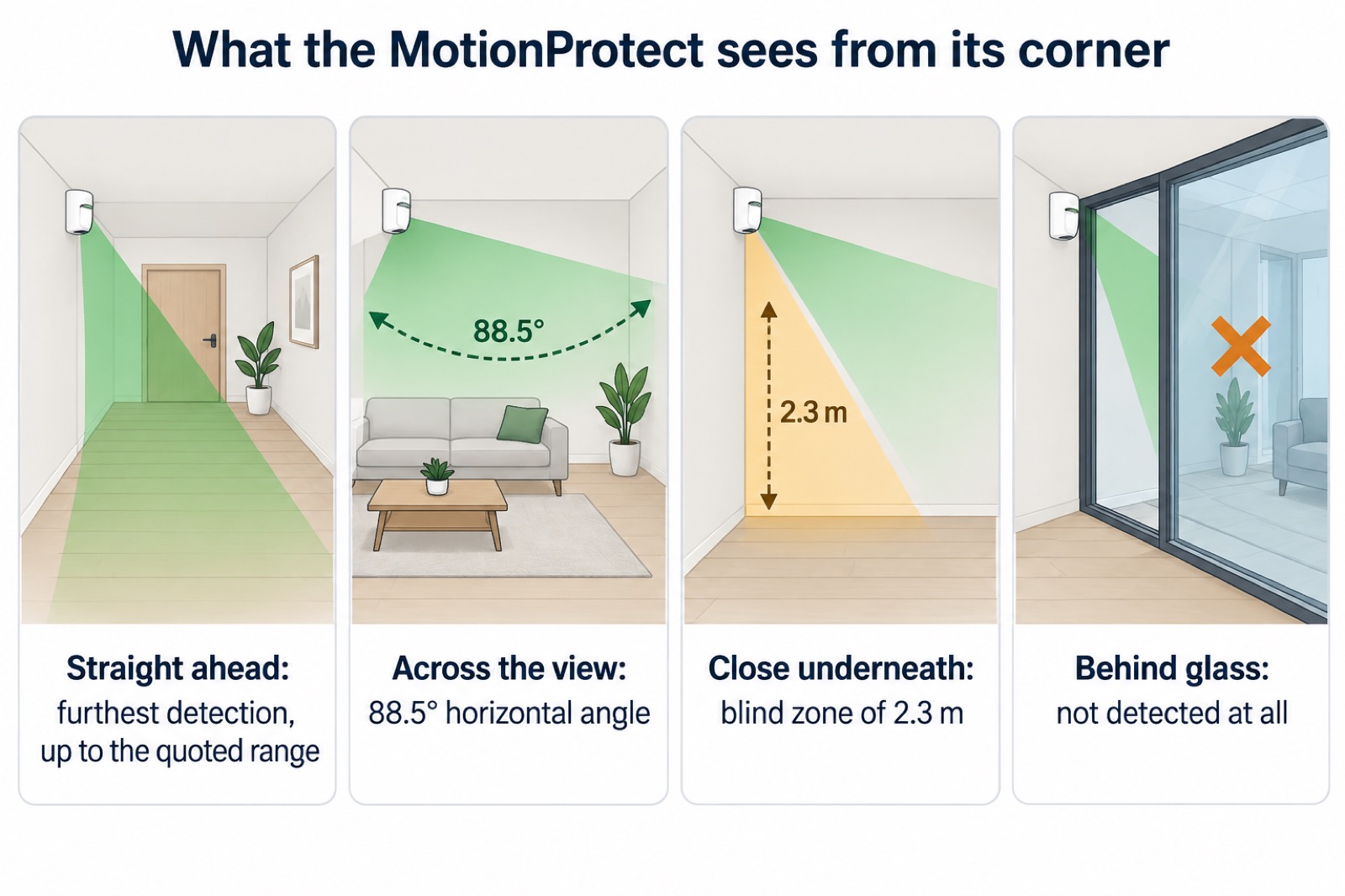
The standard MotionProtect monitors an area within a 13 m radius, with a horizontal viewing angle of 88.5° and a vertical viewing angle of 80°3. Ajax gives the width of the detection zone as 12 m, and the detector is intended to be installed at 2.4 m without obstruction to its view3. The MotionProtect U datasheet gives the same 88.5° horizontal angle and a detection distance of up to 12 m when installed at a height of 2.4 m2.
Those figures describe a cone, not a circle. The detector sees furthest straight ahead and less to the sides, and there is a blind zone close to the unit: Ajax lists 2.3 m for the standard model3. In practice that means a detector in the corner of a room covers the floor and the far walls well, but a person who comes right up under it may be missed. It also means the quoted range assumes the mounting height Ajax specifies; fit it lower or higher and the shape of the zone changes.
The detector responds to movement at speeds from 0.3 to 2 m/s, and sends an alarm no more than once every 5 seconds3. Someone walking normally falls inside that band. Very slow movement, such as a crawl, may not register.
Where to mount it, and where it will not detect
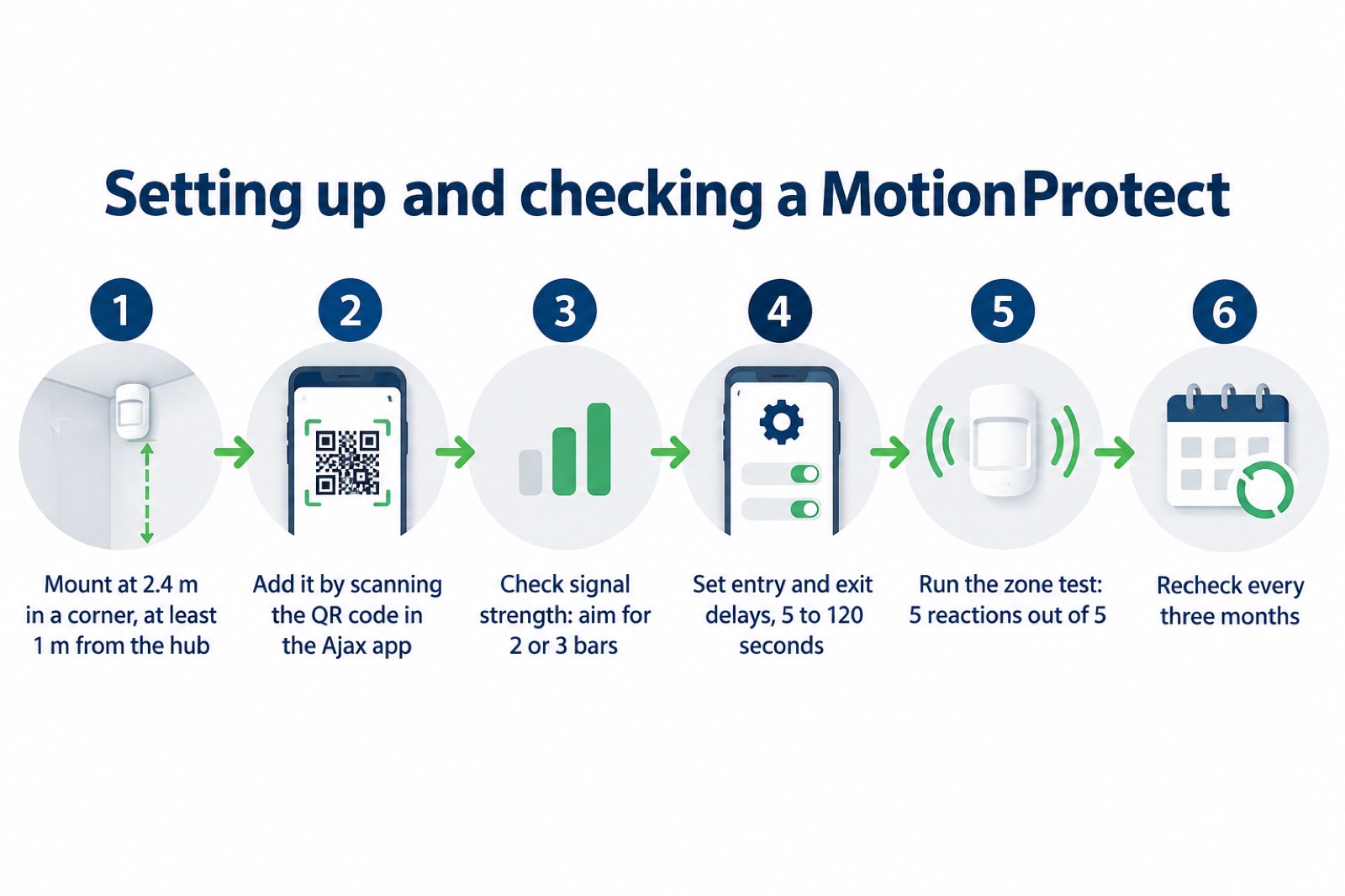
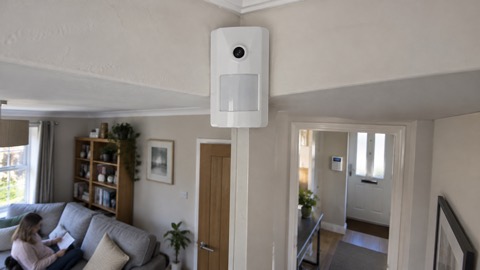
Mount the detector in the corner of the room or on a flat, firm vertical surface, at 2.4 m, with a clear view across the space3. Ajax warns that an unstable surface can lead to false alarms, so avoid a shelf that flexes or a wall that vibrates3. The intended path of an intruder should run perpendicular to the axis of the detector's lens, so that they cross the zone rather than walking straight towards or away from it3.
Keep it at least 1 m from the hub or a radio signal range extender, because closer than that can cause a loss of communication3. Double-sided tape is for temporary installation only: Ajax notes that while the device is taped, the tamper will not be triggered when it is detached from the surface, so a taped detector is not protected against being pulled off3.
Where it will not detect:
- Behind glass. Ajax states plainly that MotionProtect does not register motion behind glass, and the same applies to the Plus1. A glazed door, a window or a glass partition is a blind spot.
- Below its temperature range. Effective motion detection runs from −10 °C to +40 °C on the standard model2. Ajax lists a detector temperature outside those limits as a malfunction condition3.
- Very close underneath it, inside the 2.3 m blind zone3.
- When something is blocking the lens. The Plus has anti-masking, and Ajax says it is always active and operates regardless of the detector or system security mode5.
If you are placing several detectors, Ajax advises at least 20 cm between a MotionProtect Plus and another MotionProtect Plus, a Superior MotionProtect Plus or a Superior MotionProtect Plus Fibra1.
Battery: up to 5 years on one CR123A
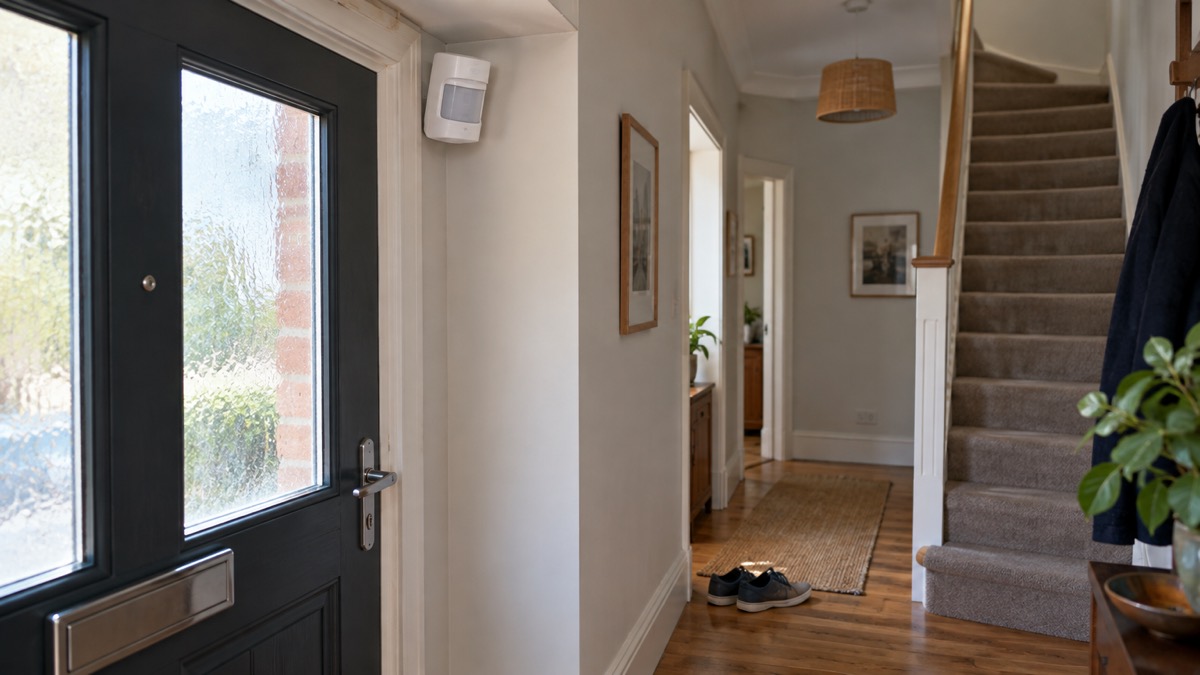
The standard MotionProtect takes one CR123A battery at 3 V, and Ajax gives a calculated battery life of up to 5 years from the pre-installed cell, with the hub checking in every 3 minutes3. The Plus carries the same up to 5 years figure under the same 3 minute inquiry frequency1. The MotionProtect U datasheet also states a calculated battery life of up to 5 years2.
That figure is a calculation, not a promise. Ajax notes that if other batteries are installed, the operating time may differ from the calculated time6. For the standard model Ajax recommends specific cells to ensure the device operates for the calculated time: a Panasonic CR123A Industrial lithium battery at 3 V, or a Huiderui CR123A at 3 V, 1,600 mAh, LiMn026. The battery status in the app does not update instantly but within a ping period, by default every 36 seconds6.
When the battery runs low, you are not left without warning. Ajax says that after sending a low battery notification the detector can work for up to 2 months, which is your window to change it3. The low battery threshold on the MotionProtect U is 2.5 V2. On the outdoor model a slow green flash during an alarm means the batteries need replacing but the detector carries on working; that indicator is described for the outdoor unit, so check the app for the indoor one5.
| Battery fact | Figure |
|---|---|
| Cell type | 1 × CR123A, 3 V3 |
| Calculated life | Up to 5 years, hub checking every 3 minutes1 |
| Low battery warning to replacement | Up to 2 months3 |
| Low battery voltage (MotionProtect U) | 2.5 V2 |
| Status refresh | Within a ping period, default 36 seconds6 |
Changing the battery safely
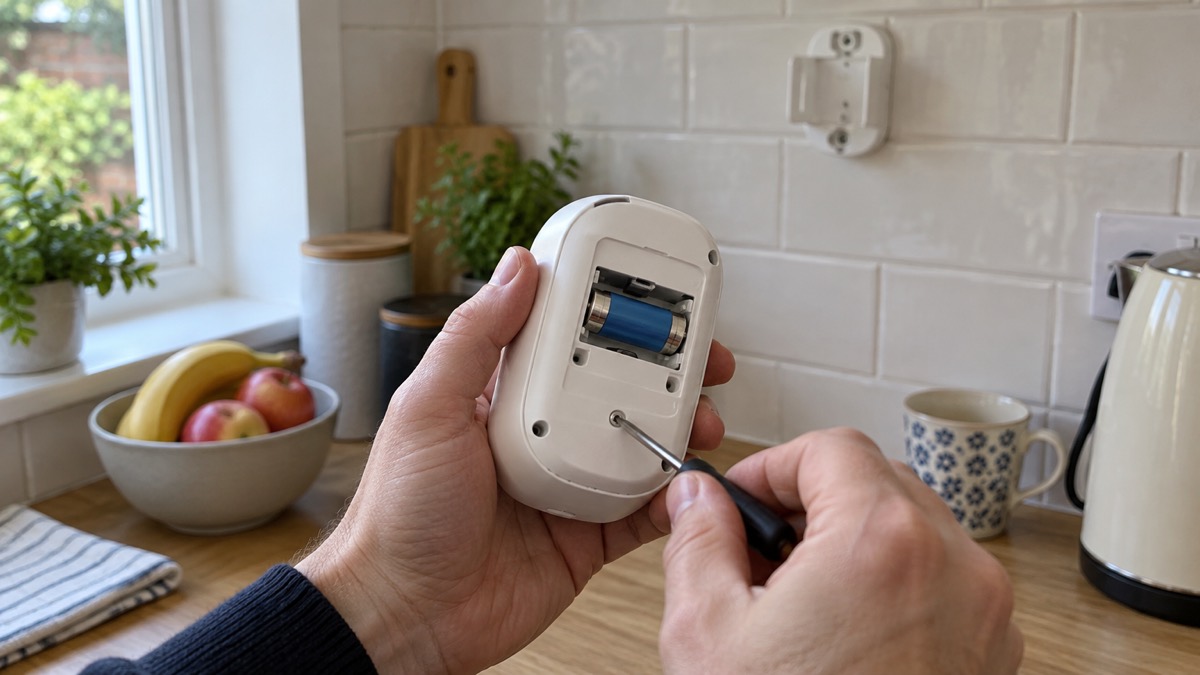
Ajax's own procedure for the MotionProtect is to remove the detector from the SmartBracket mounting panel, switch the device off, loosen three screws and remove the front back of the detector, change the battery observing the polarity, reattach the back panel and tighten the three screws, then turn the detector on and check the battery status in the mobile application6. Use a new CR123A of the type Ajax specifies6.
"Do not install already used or damaged batteries."
That instruction matters more than it looks. The government's battery safety guidance warns that damaged batteries can catch fire rapidly and without warning, and advises checking your battery regularly for signs of damage and replacing it if you suspect any, without charging or using it7. A CR123A is not a rechargeable cell, so never attempt to charge one.
A few practical points. Work with the system disarmed so you do not set off the alarm while the casing is open. Keep the screws somewhere safe, because the back panel has to go back on and be tightened before the detector will sit properly on its bracket. If you have a Plus, remember that anti-masking is always active, so covering the lens during the change may itself produce a signal5.
Connecting to a hub, signal and testing
A MotionProtect works with one hub at a time. When you connect it to a new hub, it stops sending events to the old one1. Ajax notes for the outdoor model that the device is not removed from the old hub's device list automatically, so tidy that up in the app yourself5. Devices are added to an Ajax hub by scanning their QR codes through the Ajax apps9. If a connection attempt fails, Ajax advises turning the detector off and trying again in 5 seconds3.
Signal strength is shown in the app as bars. Ajax recommends 2 or 3 bars, and states that repositioning even by 20 cm can significantly improve the signal strength1. With one bar or none, stable operation is not guaranteed3. This is the single most useful adjustment on a detector that keeps dropping out, and it costs nothing but a few minutes with a screwdriver.
Entry and exit delays are set in the app and run from 5 to 120 seconds, including in Night mode1. Set the exit delay long enough to leave and lock up, and the entry delay long enough to reach the keypad and disarm.
To test the zone, use the detection zone test in the app and walk across the protected area. Ajax's pass mark is 5 reactions out of 5; if the detector does not react in 5 out of 5 cases, relocate the device or change its sensitivity1. The standard model has three sensitivity levels, and the setting changes how it treats pets: high ignores cats up to 25 cm tall, medium ignores small dogs up to 35 cm tall, and low ignores animals up to 50 cm tall3. Medium is the default3.
Upkeep, service life and warranty
Ajax gives the standard MotionProtect a service life of 10 years and a warranty of 2 years after purchase, which does not apply to the pre-installed battery3. The MotionProtect U datasheet lists a 24 month warranty2. The Plus carries the same 2 year warranty on the same terms1.
For routine upkeep, Ajax advises checking the detector once every three months3. That check is simple: run the zone test, look at the signal bars, confirm the battery status in the app and wipe the casing. Cleaning is where people do damage. Ajax states that you must not use any substances containing alcohol, acetone, petrol or other active solvents for cleaning the detector1. Use a soft dry cloth, and wipe the lens carefully, because scratches can reduce sensitivity5.
The detector also reports on itself. It raises a tamper notification on attempts to detach it from the surface or remove it from the mounting panel2. If the temperature reading in the app looks wrong, Ajax allows an acceptable error of 2 °C between the app value and the room temperature3.
If something is wrong that the app cannot explain, Ajax's technical support is reached at support@ajax.systems, with an AI-powered chatbot and a professional technical support team available 24/75. For how this detector fits into a wider system, see Ajax Hub (2 Plus, 2, Plus) and Monitored or Self-Monitored Alarm?.
Sources (10)
- MotionProtect Plus Jeweller user manual, Ajax Systems, 2026-06-11
- MotionProtect U Jeweller specifications, Ajax Systems, 2026-11-02
- MotionProtect Jeweller user manual, Ajax Systems, 2023-11-02
- Do motion detectors have cameras?, Verisure, 2026-07-03
- MotionProtect Outdoor Jeweller user manual, Ajax Systems, 2026-06-08
- How to replace batteries in MotionProtect, Ajax Systems, 2024-05-10
- Battery safety for e-cycle users, GOV.UK, 2024-02-01
- Button batteries campaign: how to stay safe, GOV.UK, 2019-06-27
- Water damage prevention, Ajax Systems, 2026-11-02
- MotionProtect Curtain Jeweller specifications, Ajax Systems, 2026-11-02

 Ajax CombiProtect
 Ajax DoorProtect Plus
 Ajax GlassProtect
 Ajax MotionCam Outdoor
 Ajax MotionCam