

If you have searched for "iPAD" expecting a tablet, the name also belongs to a range of automated external defibrillators (AEDs) made by CU Medical Systems. An AED is a portable device that analyses a person's heart rhythm and, if it is a rhythm that can be shocked, delivers a controlled electric shock to restart the heart. The iPAD range is built for people with no medical training: it talks the rescuer through every step, with calm voice prompts that automatically adjust to background noise1.
For a UK household, the practical question is not whether you own one, but whether you know where your nearest one is and how it works. Sudden cardiac arrest can happen anywhere, and the first minutes matter. The iPAD CU-SPR is a robust one piece unit with large, clear illustrations that illuminate to highlight key commands, and pre-connected dual electrode pads that can be used on both adults and children1. That means less to do under pressure: place the pads as the pictures show, stand clear when told, and follow the voice.
This page covers what the iPAD range does, how it fits a household emergency plan, and how to keep the rest of your emergency kit, phones, tablets and power banks, working safely alongside it. It also covers the tablet side of the name, because many households will be searching for charging and offline advice for an iPad as well.
What an iPAD defibrillator does for your household
An AED is a piece of public safety equipment, and the iPAD range is designed to be used by whoever is nearest when someone collapses. The CU-SPR gives calm voice prompts with instructions at every step, automatically adjusting to background noise, so it can be heard over a busy room1. Its display uses large, clear illustrations that illuminate to highlight key commands, which helps a rescuer who has never used one before1. The pads come pre-connected and can be used on both adults and children, cutting down the preparation needed before help can begin1.
Where does this fit a household plan? The first step is knowing your nearest AED. Many are mounted outside village halls, sports clubs, shops and railway stations, and 999 call handlers can direct you to one. The second is knowing what to expect: the device will talk, it will ask you to place pads on bare skin, and it will tell you to stand clear before any shock. You do not need to decide whether a shock is needed; the device analyses the rhythm itself.
The CU-SPR is built as a robust one piece unit, which matters if it is kept in a public cabinet or carried to a casualty1. The maker also states it carries the highest IP rating of any AED currently available, at IP66, meaning it is protected against dust and powerful water jets1. For a household in a flood prone area, or one that keeps kit in a garage or outbuilding, that is a relevant specification.
If you want the detail on the fully automatic model, see our page on the iPAD SP1 Fully Automatic AED. For the wider picture on home first aid, our First Aid at Home guide sets out what a household should keep and know.
Specifications that matter in a power cut
An AED is one of the few pieces of emergency kit that does not depend on the mains, the internet or the mobile network once it is charged and ready. That is its great strength in a power cut: it will still analyse a rhythm and give its prompts. The specifications that decide whether it is ready when needed are the ones below.
| Specification | What it means for a household | iPAD CU-SPR |
|---|---|---|
| Design | One piece unit, easier to grab and carry | Robust one piece design1 |
| Display | Readable under pressure | Large, clear illustrations that illuminate to highlight key commands1 |
| Voice prompts | Usable by an untrained rescuer | Calm prompts at every step, adjusting to background noise1 |
| Pads | Less preparation before use | Pre-connected dual electrode pads for adults and children1 |
| Water and dust | Suitability for damp or outdoor locations | IP661 |
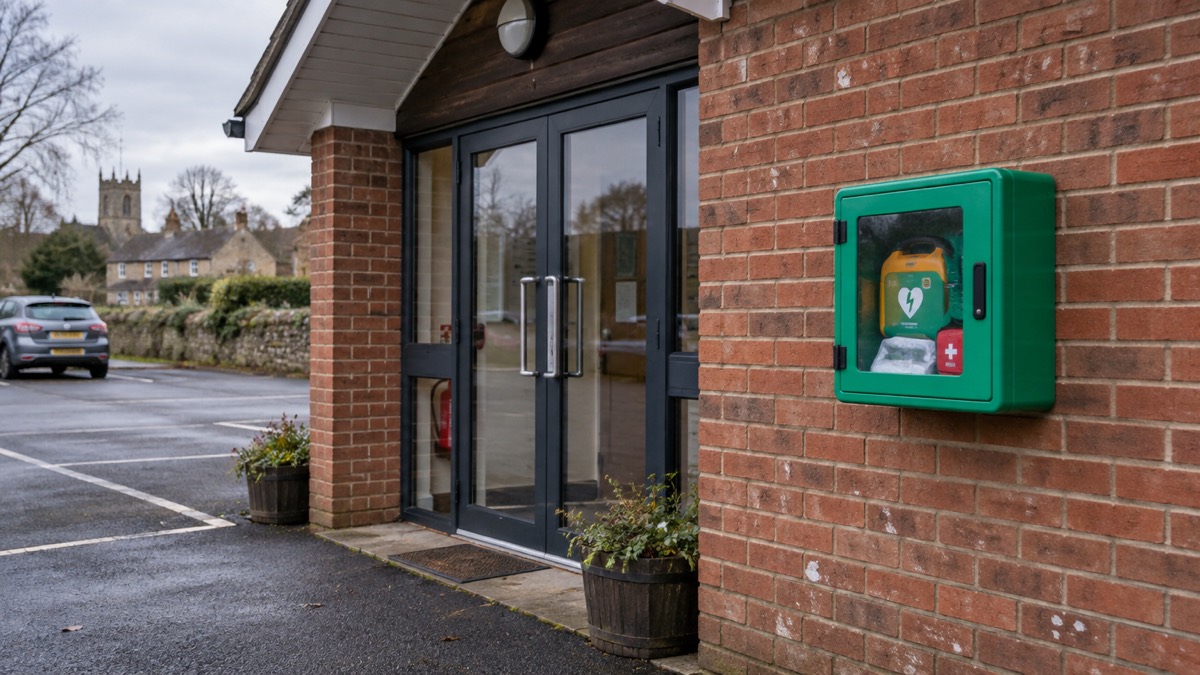
The maker also notes that the iPAD CU-SP1 has proven its stability and performance in the market for over 10 years1. Longevity matters for a device that may sit unused for years: it suggests a settled design rather than a new one still being refined.
What the specifications do not tell you is where the nearest device is or whether its battery and pads are in date. Those are the checks that keep a public AED usable, and they are usually carried out by the guardian of the cabinet. If you are responsible for one, or you want to know your local one is maintained, ask the organisation that looks after it.
Battery life: how to make a charge last
The battery advice that matters most for a household is about the devices you carry: phones, tablets and power banks. Fire and rescue services across the UK give the same instruction in slightly different words: do not leave items continuously on charge after the charge cycle is complete, and it is best not to leave your phone plugged in overnight3. Unplug when fully charged6, do not overcharge, and always unplug the charger when charging has finished7. Unplug your battery and charger once the battery has charged, rather than leaving it to overcharge8, and unplug devices once fully charged, avoiding leaving them plugged in overnight9.
That advice is about fire risk, not just battery health. Lithium-ion batteries can fail, and a device left charging unattended on a soft surface is the scenario fire services warn about most often. In an emergency, when you may be charging several devices at once from a power bank or a car, the temptation to leave them all plugged in overnight is strong. Resist it: charge in daylight, unplug when done, and keep the charging point where you can see it.
For an iPad or similar tablet, the same rules apply. A tablet has a larger battery than a phone and takes longer to charge, so plan the charge rather than leaving it running. If you are relying on a tablet for emergency documents, charge it early in the day and unplug it once full, then keep it somewhere cool and dry.
Charging an iPad when the mains is off
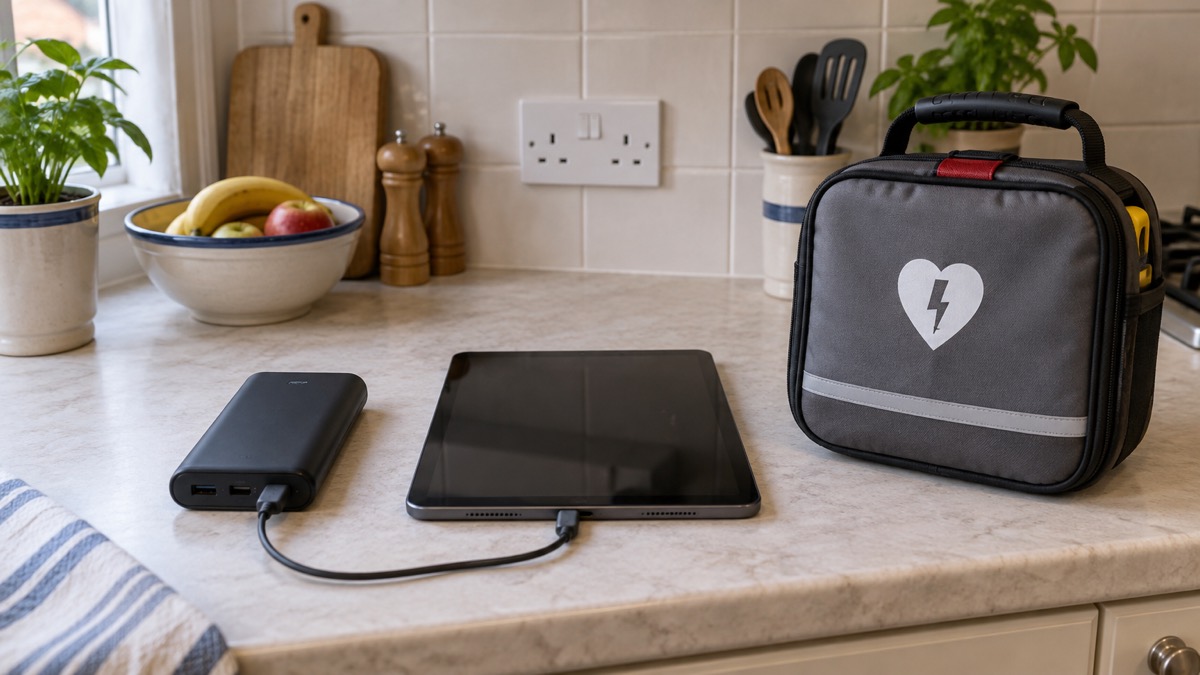
When the power goes, a tablet can be kept going from a power bank or a car charger, with care. Energy Networks Association guidance suggests topping up your battery in your car if you have a car charger12. That is a practical option for many households, but treat the car as a charging point: do not run the engine in a closed garage, and unplug the device once it is charged.
Power banks vary widely in what they can deliver. One maker's product page for a 25K power bank lists laptops, phones, tablets, headphones, smartwatches, game consoles and other USB-C devices among its compatible devices, including iPad13. The same page advises using a charger that supports fast charging protocols and has a high output power, such as PD 65W or 100W, and avoiding low-power chargers such as 5V/1A13. A customer review on that page notes the bank can charge an iPad but that it takes a lot of charging13. That is a useful expectation to set: a tablet will draw down a power bank faster than a phone will.
The order in which you charge matters. Charge the phone first if it is your only way to call for help, then the tablet, then anything else. Keep a charging cable for each device in your emergency kit, and check the cables work before you need them. Charge during the day rather than overnight, and unplug the charger once the battery is full14.
Staying informed when mobile and broadband are down
A tablet is only as useful as the connection behind it. When mobile and broadband go down, the first thing to know is what still works. Communications providers should keep you informed during outages with clear, timely updates, and where possible may offer temporary or alternative ways to stay connected; they often have a status page with updates on planned maintenance and significant incidents15. Check your provider's status page from any connection you can find, including a neighbour's wifi if they have it.
Fixed satellite broadband and newer satellite services that connect directly to mobile devices can sometimes help you stay connected when land-based networks are down, but availability and performance can vary, so ask providers what options might fit your needs15. That is worth knowing if you live somewhere with a history of long outages, but it is not a substitute for a plan.
Wi-Fi calling is a simple setting that helps: turn on Wi-Fi calling in your settings to allow calls over your broadband connection if your mobile network is unavailable16. If your broadband is down too, that will not help, but if only the mobile network is affected it can keep you in touch.
Emergency Alerts are the other channel. They are messages sent to compatible 4G and 5G mobile phones and tablets when there is a danger to life17. They work on iPhones running iOS 14.5 or later and on Android phones and tablets running Android 11 or later2. You will not receive alerts if your device is turned off, connected to a 2G or 3G network, wifi only, or not compatible2. If you receive an alert, read the message carefully and follow the instructions18. On Android phones the alert may be found in the Messages app or Emergency Alert History; on iPhone it will be in your notifications, and if you delete your notifications the alert is deleted too18. Since the first national test in April 2023, five alerts have been sent to warn the public of real emergencies20.
Keeping emergency documents and contacts available offline
The most useful thing a tablet can do in an emergency is hold information you would otherwise have to remember. But the official advice is clear that you should not rely on a device alone. Keep important numbers of family or your insurance written down somewhere safe in case you cannot access them on your phone or online21. Keep a paper copy of important phone numbers, family, neighbours, doctor and utilities, and other essential information in case your mobile phone loses power or you cannot access your contacts15.
A tablet can complement that paper copy: store scans of insurance documents, prescriptions and contact lists, and make sure they are available offline rather than only in the cloud. Add in case of emergency (ICE) contacts that can be easily found on your phone, and enable safety and emergency features such as the personal safety feature on Android and the Health app on iOS16. Keep extra batteries to charge your phone21, and treat the tablet as a second copy rather than the only one.
The wider principle is that an emergency plan should not depend on any single device. The Scottish Government's guidance says an emergency plan will help you and your household stay safe in an emergency22, and letting children help with the plan and household kit can help them remember the information and feel safer23. A tablet with a family contact list on it is useful; a child who knows the list by heart is better.
Safe charging and storage
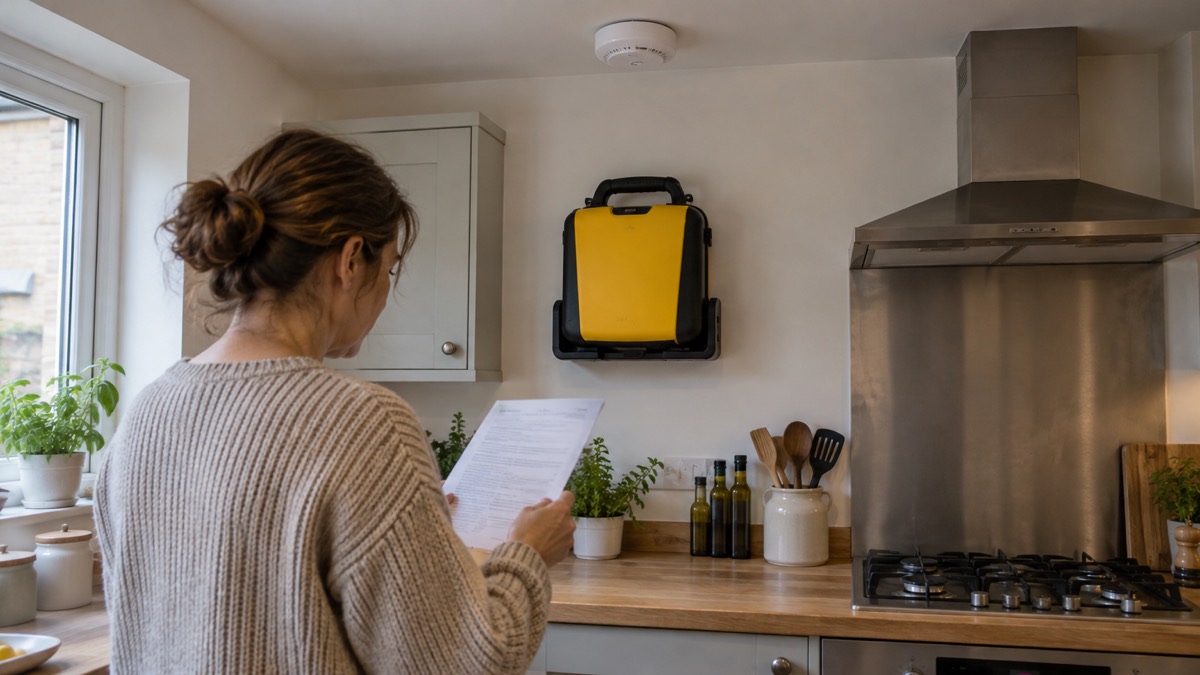
The fire risks around tablets and power banks are the same as around phones, and the advice is consistent across fire and rescue services. Charge on a hard, flat, heat-resistant surface, away from extreme heat, cold, direct sunlight and flammable materials7. Do not leave items continuously on charge after the charge cycle is complete3. Unplug when fully charged6, and do not overcharge7.
Store devices and power banks somewhere cool and dry, away from direct sunlight. Do not charge a device that has been wet, and do not immerse it in water3. If a battery is damaged, swollen or hot to the touch, stop using it and seek advice; do not put it in household waste. If a device catches fire or explodes, do not try to tackle the fire yourself: get out of the property, stay out, and call 99924.
For an AED, storage is simpler: keep it where it can be reached quickly, at room temperature, and check that its pads and battery are in date. The maker lists the CU-SPR's carrying case as suited to professional rescue teams, workplaces, public facilities and marine environments1, but that is not a reason to store it somewhere damp.
What can go wrong with an iPad in an emergency
The failures that matter fall into a few groups. The first is power: a tablet that is flat is useless, and a power bank that has been left uncharged is no help. Charge devices before a forecast storm, keep power banks topped up, and know how long each will last for the devices you plan to run.
The second is connectivity: a wifi-only tablet will not receive emergency alerts2, and a mobile network that is jammed or down will stop calls and data. The Nottinghamshire guidance warns that mobile networks may be jammed and cordless telephones need power to work, so consider how your family will stay in touch25. A paper contact list covers that gap15.
The third is water and physical damage. Electrical Safety First advises protecting your device from damage and not immersing it in water3. Flood water is contaminated and water and electricity are a dangerous combination; do not charge a device that has been in flood water.
The fourth is fire risk from charging, covered above. The fifth is simply not knowing where your nearest defibrillator is. An AED that nobody can find in the first minutes is no use. Know your nearest one, and if you are responsible for one, keep its pads and battery in date.
Support, repairs and safety notices
For appliances and electrical goods, register your product so the manufacturer can contact you if a safety repair is needed26. That applies to tablets, power banks and any other electrical kit you rely on. If a recall is issued, act on it: stop using the item and follow the maker's instructions.
For an AED, support comes from the maker and from the organisation that owns the device. If you are a household considering one, ask the maker about servicing, pad and battery replacement, and training. The CU-SPR guides the user with calm voice prompts and large, clear illustrations that illuminate to highlight key steps1, but knowing how to use one before you need it is still worthwhile.
For the wider picture on getting a household ready, our Getting Started guide sets out the first steps, and our Emergency Kit guide covers what to keep ready. If you are preparing for someone with mobility difficulties, the fire service advises considering an intercom that will allow you to alert someone else in the house in an emergency27, and identifying family or neighbours who may need an extra helping hand29. Our Extra Help in an Emergency guide covers that in more detail.
Sources (29)
- iPAD CU-SPR, CU Medical Systems, 2026-11-02
- How emergency alerts work, GOV.UK, 2026
- Mobile phones and tablets, Electrical Safety First, 2026-10-25
- Batteries and chargers, London Fire Brigade, 2026-10-25
- Batteries and charging safety, Essex County Fire and Rescue Service, 2026-10-29
- Battery safety, Greater Manchester Fire and Rescue Service, 2026-10-29
- Lithium batteries, Surrey County Council, 2026-10-28
- Electrical safety, Lincolnshire County Council, 2026-10-29
- Lithium battery fire safety, Tandridge District Council, 2026-10-29
- Chargers, e-batteries and fire safety, Cumbria Fire and Rescue Service, 2026-10-29
- Batteries, Devon and Somerset Fire and Rescue Service, 2025-08-07
- Power cut, Energy Networks Association, 2026-10-25
- RAPID Power Bank 25K, EcoFlow, 2026-10-25
- Emergency kit, Ready Scotland, 2026-10-22
- Phone and broadband outages, Prepare campaign, 2026-10-12
- Stay connected in severe weather, Ofcom, 2026-10-13
- Emergency Alerts System factsheet, Prepare campaign, 2025-08
- National emergency alerts, Warwick District Council, 2026-10-29
- Emergency alerts, Denbighshire County Council, 2026-10-26
- Emergency alert reminder, Lancashire Prepared, 2026-10-29
- Yourself, Wiltshire and Swindon Prepared, 2026-10-25
- Home emergency plan, Ready Scotland, 2026-03-24
- Emergency plan, Ready Scotland, 2026-03-24
- Vaping and e-cigarettes, London Fire Brigade, 2026-10-25
- Preparing for an emergency, Nottinghamshire County Council, 2026-10-29
- Maintain appliances and recalls, Greater Manchester Fire and Rescue Service, 2026-10-29
- Fire safety for people with mobility difficulties, Devon and Somerset Fire and Rescue Service, 2026
- Ability to respond and escape, Devon and Somerset Fire and Rescue Service, 2025-11-19
- Winter weather ready, Argyll and Bute Council, 2026
 iPAD SP1 Fully Automatic AED