
Google kit is not emergency equipment in the way a torch or a water container is, but for most UK households it is the thing that carries the warning, the phone call and the map. The single most important fact is that the government's Emergency Alerts reach compatible 4G and 5G mobile phones and tablets in an area of risk, and Android phones and tablets running Android 11 or later are supported1. You do not need to be connected to Wi-Fi or mobile data to receive one2. That makes a charged Android phone, or a Pixel, one of the most useful items in the house when something goes wrong.
The second thing to know is that the phone only works while it has charge. Official advice is to keep mobile phones, laptops or tablets fully charged so you will have use of battery power for a short time at least if there is a power cut3. Everything else on this page follows from those two points: what Google's devices do well, what they cannot do once the power or the broadband goes, and how to set them up so the useful parts survive.
What Google makes for UK households in an emergency
Google's consumer range divides into four things a household might actually lean on in an emergency: Pixel phones, which make calls and receive alerts; Nest speakers and displays, which give information and reminders while the power and broadband are on; Nest cameras and doorbells, which let you see what is happening outside; and Nest smoke and carbon monoxide alarms, which warn of fire and gas. Google Maps and the wider account services, such as contacts and documents, sit across all of them.
The distinction that matters is between devices that carry their own battery and devices that do not. A phone with charge is a self-contained tool. A Nest speaker or display is not: gas ovens, boilers, heat pumps and your home internet won't work without power5, and a smart speaker depends on both the power and the internet to answer a question or play a warning. Treat the phone as the resilient core and the rest as conveniences that make ordinary days easier and may help in the early minutes of an incident.
Official guidance is consistent that the phone is the channel to watch. In an emergency, pay attention to official sources of information such as the websites and social media accounts of local authorities, government agencies or emergency services, or messages to your mobile phone from the UK Government Emergency Alerts Service6. The same message appears in the Scottish Government's own preparedness material: the UK Government emergency alert system will warn you about any life-threatening emergencies and give advice on what to do, and alerts are sent directly to your phone or tablet7. For the wider picture of how warnings reach a household, see Staying Informed and in Touch in an Emergency.
Pixel phones: calls, alerts and battery life in a power cut
A Pixel is an Android phone, so it receives Emergency Alerts provided it is running Android 11 or later and is connected to a UK 4G or 5G network1. The alert arrives with audio and vibration attention signals to let you know you have one8. If you dismiss it, you can find it again: on Android phones the alert may be found in the Messages app or in 'Emergency Alert History'9. You can also go to the current alerts or past alerts pages, or search for emergency alerts on your mobile phone or tablet1.
Two settings are worth knowing before you need them. Android phones and tablets may get more than one reminder about the same emergency alert, and you can turn these reminders off through the 'emergency alerts' settings on the device1. If you have an earlier version of Android, you may still be able to receive alerts, and you can check by searching your device settings for 'emergency alerts'1. The service can be opted out of by searching for "emergency alerts" in your phone settings and following the instructions for your device2, but for most households the sensible course is to leave it on.
Battery life is the limiting factor. Keep the phone fully charged before an outage, then use your devices sparingly to conserve battery power until you can charge them again10. Lowering your screen brightness and turning on battery saver mode are the two measures official guidance names4. A phone kept for calls, alerts and a saved map will last far longer than one used for video.
Nest speakers and displays: what stops working without power or internet
A Nest speaker or display is a household convenience that becomes a dead object the moment the power goes. Your home internet won't work without power5, and the speaker needs both mains power and a working connection to answer a question, read out a warning or set a reminder. In a power cut, do not plan around it.
That does not make it useless. Before an outage it can hold reminders, play the radio and answer questions about the weather or a local incident. Some households use one as a hands-free way to call for help while the connection is up. Official guidance recognises that smart speakers and smart light bulbs can form part of a package of household technology that helps someone stay safe, alongside telecare devices and sensors11. The point is that they are part of a package, not the whole of it.
The practical rule is to have a fallback for every job the speaker does. If it reminds you to take medication, keep a written note or a phone alarm as well. If it is how you hear about the weather, keep a battery radio or a charged phone. If it is how you call family, keep the numbers written down: official advice is to keep important numbers of family or your insurance written down somewhere safe in case you cannot access them on your phone or online12. For the wider question of what to keep ready, see Emergency Kit: What a UK Household Should Keep Ready.
Nest cameras and doorbells during an outage
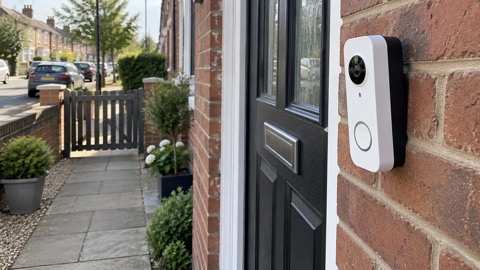
Nest cameras and doorbells depend on mains power at the door or in the room, and on your home internet. When either fails, the live view fails with it. That matters most in the middle of an incident, when you might want to see whether water is rising at the back door or whether someone is at the front door.
Plan for the gap rather than around it. If you rely on a camera to see who is at the door, agree with the household that someone will answer in person during an outage, and keep a torch by the door. If a camera watches a flood-prone area, check it by eye instead. Treat the camera as an extra pair of eyes while the power is on, not as a substitute for looking.
There is one piece of good news for households with solar panels and a battery. Some installations can continue to provide power during a power cut if they are designed and configured to operate independently of the electricity grid, which may help keep essential appliances running during an outage5. Whether your camera or router is among those essential appliances is a decision to make with your installer before an outage, not during one. See Backup Power at Home: A Household Guide for the wider options.
Nest smoke and carbon monoxide alarms
A smoke alarm is the one piece of household technology where the standard, not the feature list, decides the choice. The Scottish Government's guidance on fire and smoke alarms in Scottish homes states plainly that the Nest Protect System will not meet the standard, because it does not meet the requirements for a heat alarm under the relevant British Standard13. That is a statement about compliance with the standard for a heat alarm in Scottish homes, and it is the clearest official caution about a Google product in this material.
The practical consequence is simple: do not rely on a Nest alarm as your only heat alarm where a standard applies. Keep conventional alarms that meet the standard, and treat any connected alarm as an addition. The same caution applies to carbon monoxide. Official guidance describes a monitored carbon monoxide detector that raises an audible alarm within the home and an instant alarm call to the monitoring centre when carbon monoxide levels are increased, for example from a blocked flue or chimney or faulty appliances14. That is a description of a monitored telecare-style detector, not a claim about any Google device, and it shows the level of protection a household with a fuel-burning appliance should be asking for.
For the wider picture of fire and gas risk at home, see Home Emergencies: Fire, Carbon Monoxide, Gas Leaks and Burst Pipes.
Google Maps offline: saving routes before you need them
A saved map is one of the simplest pieces of resilience a household can have. The official advice for travel in severe weather is to plan ahead and avoid travel unless it's essential, and to check travel warnings and live traffic information before setting out15. A map saved to the phone means you can still see the route when the signal drops, and a phone that has been charged means you can still see it at all.
Save the places that matter before an incident: the route to your nearest hospital, the route to family you might need to reach, and the route out of a flood-prone area. Save them while the connection is good, and check that they open with mobile data switched off. Keep a paper note of the same destinations as a fallback, because a flat battery defeats any map.
The same discipline applies to documents. Official advice on grab bags is to keep important documents such as passports, insurance policies and other essential paperwork, and to keep photographs or digital copies on your mobile phone as a back-up16. A photograph of a document on a charged phone is a genuine back-up; a document that exists only in a cloud account you cannot reach is not.
Keeping your Google contacts and documents available offline
The failure mode in a phone or broadband outage is not usually a lack of information but a lack of access to it. Official guidance is direct: keep important numbers of family or your insurance written down somewhere safe in case you cannot access them on your phone or online12. That single habit covers the case where the phone is lost, flat or locked out.
Build the offline layer in this order:
- Numbers: write down family, insurer, GP, utility provider and the emergency services numbers you might need16.
- Documents: keep digital copies of passports, insurance policies and essential paperwork on the phone as a back-up15.
- Charge: keep extra batteries to charge your phone16, and keep the phone itself topped up before bad weather arrives3.
- Access: check that your contacts and key documents open without a connection, and that you know the PIN or password without looking it up online.
If your phone or tablet has been infected with something and a factory reset doesn't fix the problem, you'll need expert help17. The same applies to a PC or laptop where you can't download and install an antivirus product because your web browser is infected18. Do not hand a device holding your emergency contacts to an untrusted repairer without a back-up. For the wider picture, see Cyber Attacks and Major IT Failures: A Household Guide.
Safe charging and storage for Google devices
Charging a phone or a speaker is low risk compared with charging a large battery, but the fire and rescue services' advice on batteries is worth applying to every device in the house. Make sure your battery and charger meet UK safety standards19. Using the wrong charger can overload the battery and increase the risk of overheating and fire19. Charge batteries whilst you are awake and alert so if a fire should occur you can respond quickly20.
For anything with a substantial battery, including a power bank used to keep a phone alive, the fire and rescue services go further. Wherever possible, charge or store in a secure outbuilding, shed or garden area21. Register your product with the manufacturer for safety updates, recalls and warranties22. Do not charge a device on a soft surface, under a pillow or on a bedside table overnight, and unplug a charger that is hot or damaged.
Support, warranty and safety notices
Register your device. Official guidance is to register your product with the manufacturer for safety updates, recalls and warranties22, and registering makes it easier for manufacturers to contact you in the event of safety or recall information20. For appliances more generally, registering means manufacturers can contact you if a safety repair is needed23.
Check for recalls before you rely on a device. Check your appliances are not subject to a product recall by checking the Office for Product Safety and Standards23, and check whether products are subject to a product recall on the Electrical Safety First website or the government website22. If a device is recalled, stop using it and follow the maker's instructions.
For support, use Google's own support pages for the product, and have the model, the approximate purchase date and a description of the fault ready. If the fault is a safety matter, such as overheating, a burning smell or a damaged charger, stop using the device and unplug it first. For consumer rights on faulty goods, contact Citizens Advice.
If a fire has happened, official guidance points to the Red Cross for emergency help24, and to the Fire Kills page for fire safety advice including information on smoke alarms, making your home safe and help for people with disabilities24. In Scotland, local severe weather guidance including emergency support contact details is produced by Comhairle nan Eilean Siar25. For households that need extra help, see Extra Help in an Emergency: Older, Disabled and Medically Dependent Households.
Sources (25)
- How alerts work, GOV.UK, 2026
- Emergency alerts service, Croydon Council, 2026
- Strong winds and heavy rain warning: information and advice, nidirect, 2026
- Stay connected in severe weather, Ofcom, 2026
- Power cuts, Prepare (UK Government), 2026
- Be informed about hazards, Prepare (UK Government), 2026
- Find and share information in an emergency - Ready Scotland, Ready Scotland
- Emergency Alerts System factsheet, Prepare (UK Government), 2025
- National emergency alerts, Warwick District Council, 2026
- Phone and broadband outages, Prepare (UK Government), 2026
- Telecare, Lincolnshire County Council, 2026
- Yourself, Wiltshire and Swindon Prepared, 2026
- Where and what to buy, Scottish Government, 2026
- What's available from the Telecare service, Isle of Anglesey County Council, 2026
- Emergency kit, Ready Scotland, 2026
- Reduce the risk of wildfire damage to your property, Hampshire and Isle of Wight Fire and Rescue Service, 2026
- Respond to infected devices, National Cyber Security Centre, 2026
- Sole infected devices, National Cyber Security Centre, 2026
- E-bikes, e-scooters and mobility scooters, Greater Manchester Fire and Rescue Service, 2026
- E-bikes and e-scooters, South Wales Fire and Rescue Service, 2026
- E-bikes, E-Scooters and Mobility Scooters - Greater Manchester Fire Rescue Service, Greater Manchester Fire Rescue Service
- Stay safe at home: e-bikes, Cheshire Fire and Rescue Service, 2026
- Maintain appliances and recalls, Greater Manchester Fire and Rescue Service, 2026
- House fires: financial help and fire safety - GOV.UK, GOV.UK
- Resilience, NHS Western Isles, 2026
 Google Nest Doorbell